How to send an AI plan to a group chat without screenshots (WhatsApp, iMessage)
One link in the group chat. Not a pile of screenshots.
To send an AI plan to a group chat without screenshots, connect Linkit to ChatGPT, Claude or Grok once, then say “make this a Linkit for the group chat”. Your AI replies with one short link. Paste it into WhatsApp, iMessage or any other group chat; everyone opens it in their browser, with no app and no account, and the link stays the same when the plan changes.
If your chat app can pin a message, pin it, so nobody has to scroll back to find it.
Ready to copy
Type this when the plan is ready.
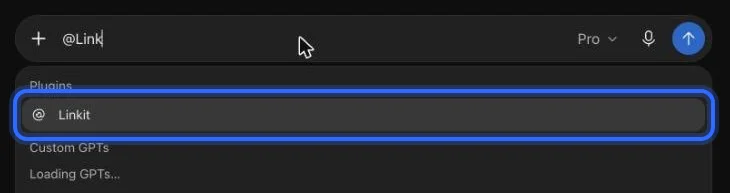
In ChatGPT, start with “@Linkit”. In Claude or Grok, turn Linkit on from the + menu in the chat first.
Make this a Linkit for our group chat. Keep it short, with a sign-up list and a map link to the place.
In ChatGPT: type @Linkit, pick it, then your line.
Step 1, in pictures
How do I connect Linkit to my AI?
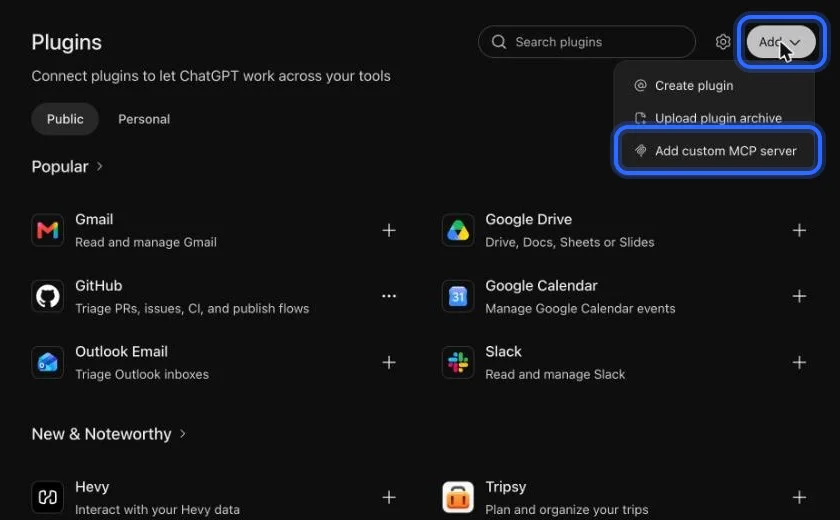
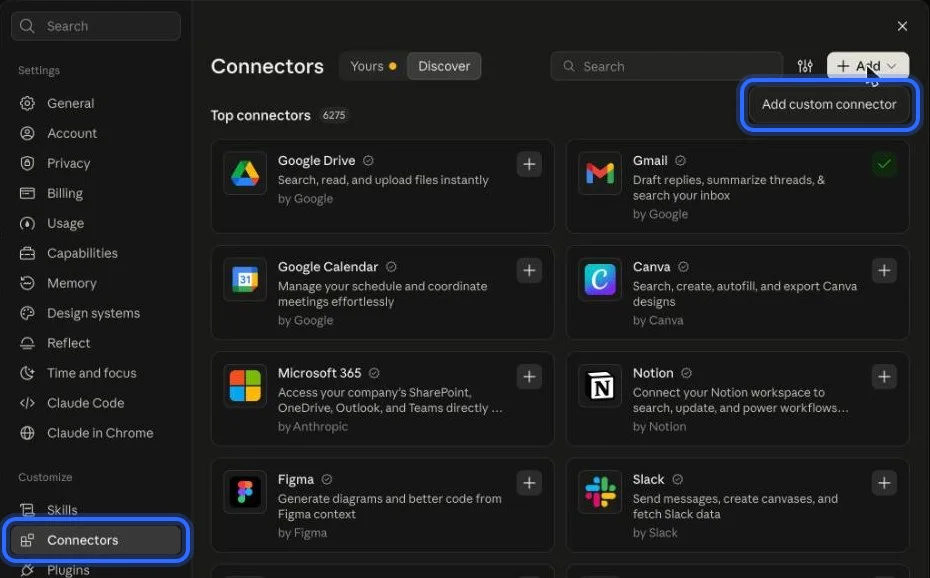
Once, in a web browser (not the app; a phone's browser works too), in ChatGPT, Claude or Grok; it takes about a minute and the free plans work. These are the real screens, with a ring on what to press. The address to paste:
https://app.linkitapp.ai/mcp
ChatGPT
Choose Add, then “Add custom MCP server”. All 7 steps →
Claude
Open Connectors, choose Add, then “Add custom connector”. All 6 steps →
Grok
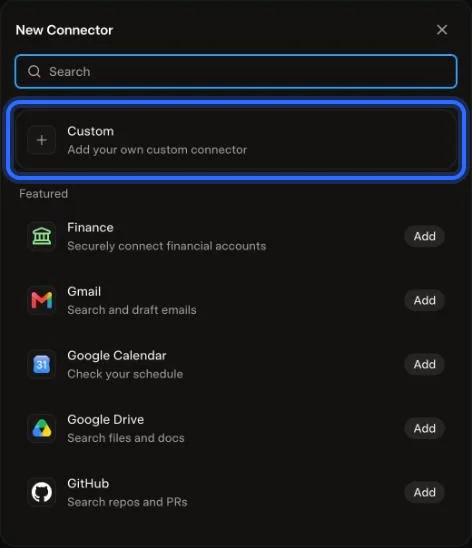
Choose Plugins, New Connector, then Custom. All 6 steps →
Why not screenshots
Why do screenshots fall apart in a group?
The order gets lost
They land as a stack, and the order is gone as soon as someone replies in between.
Nothing to tap
Nobody can tap a link, a phone number or a map in a picture.
Someone always has the old one
When the plan changes, you send the whole stack again, and someone is always looking at the old version.
They're long
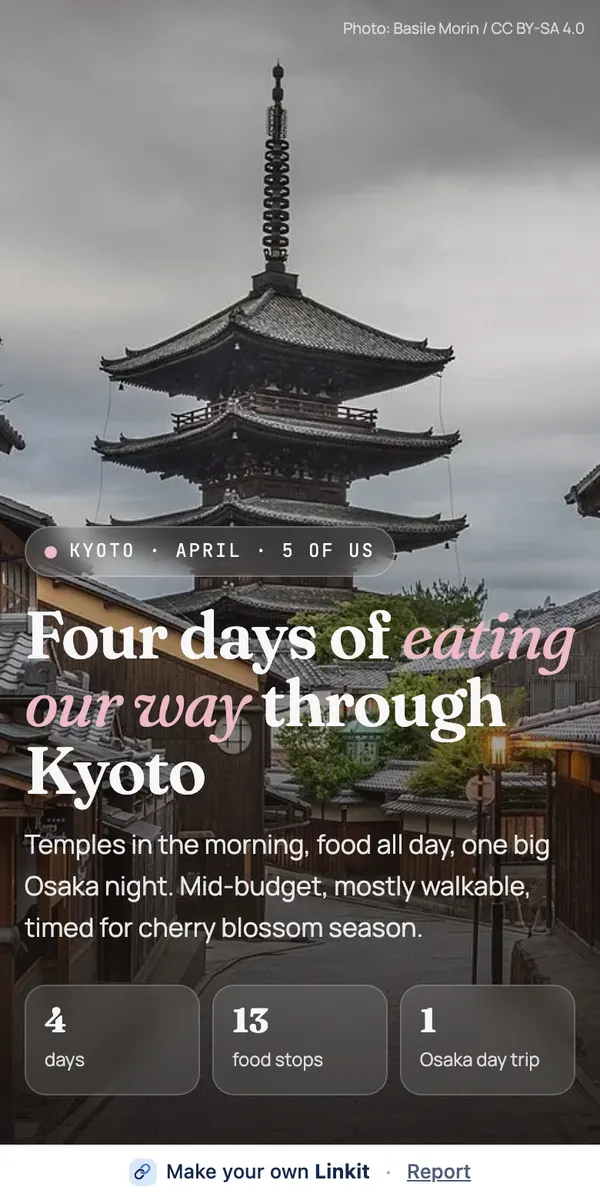
A kids' soccer season with snack and carpool sign-ups is about 7 phone screens of text; a four-day trip plan is 19.
What the group gets
What does the group see?
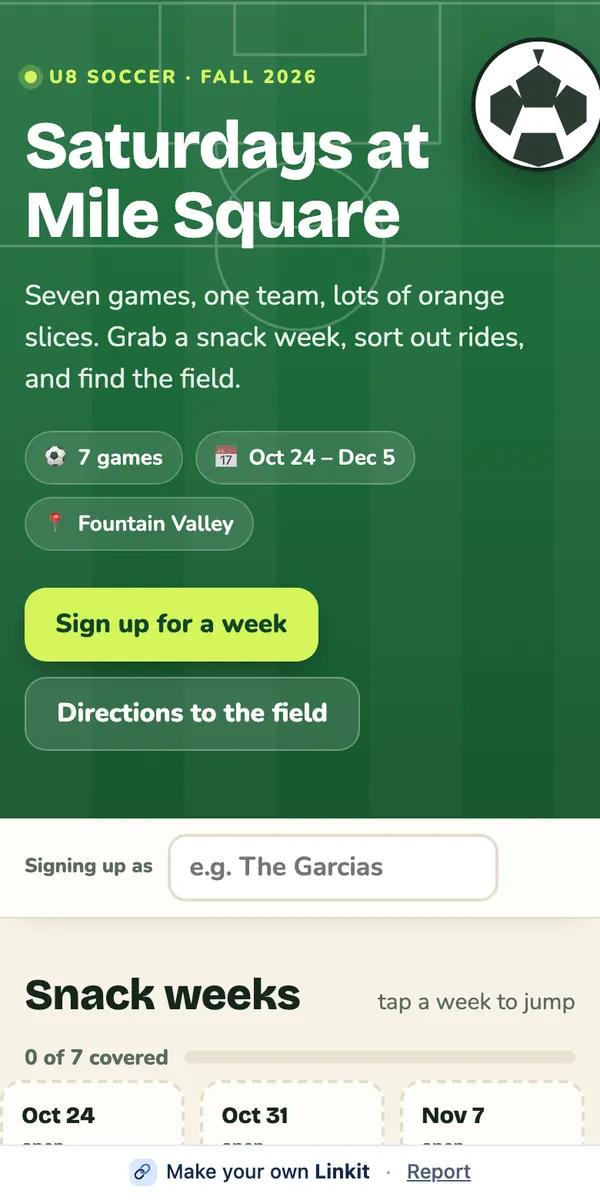
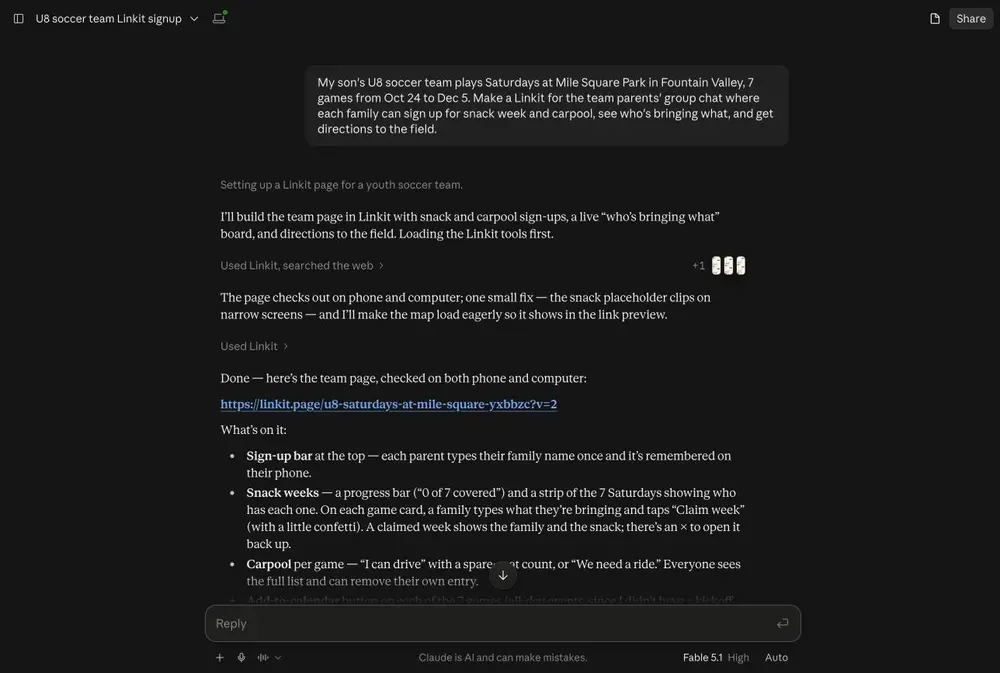
Our example: we asked Claude for a page for a team parents' group chat: seven Saturdays, snack and carpool sign-ups, directions to the field. One link went into the chat. Everyone opens it and taps their week.
Asked in Claude for a parents' group chat. On the right, the page everyone opens.
After you've sent it
What happens when the plan changes?
Ask your AI to change the page. The link stays the same, so there's no new link to hunt for.
✎
When the plan changes
Ask your AI for the change. Everyone who opens the link sees the new version, and nobody is left with an old one.
☑
Sign-ups and votes
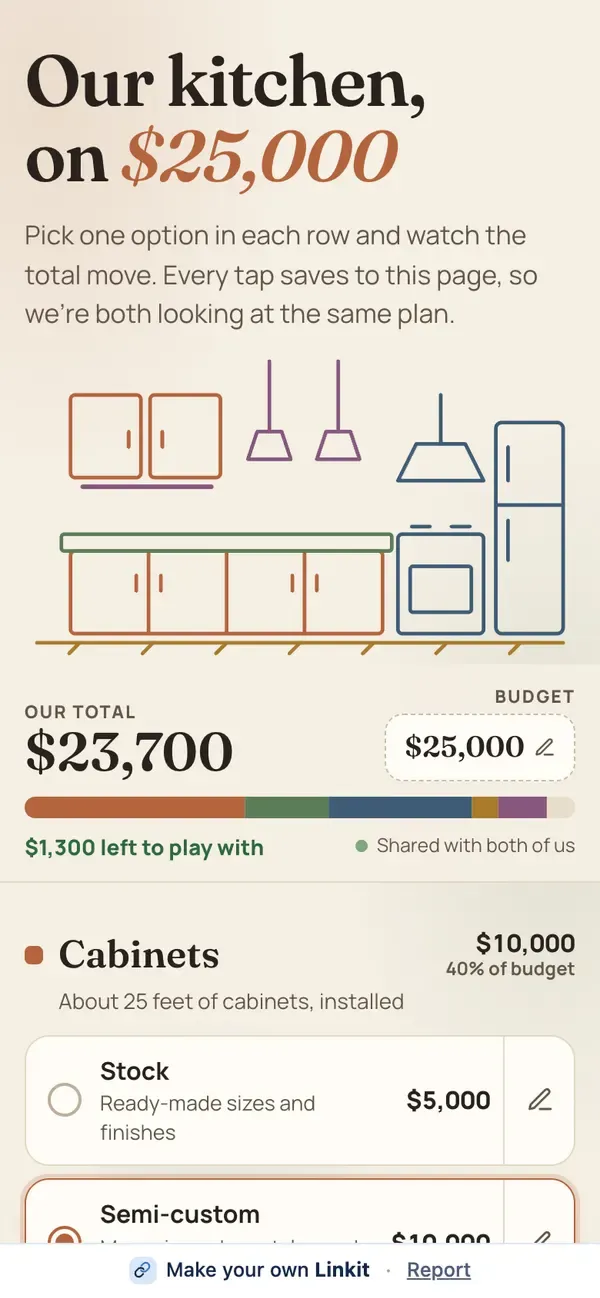
Everyone who opens the link sees the same list and the same results. Someone who joins the group later opens the same link and sees where things stand.
◷
How long it lasts
On Free, 7 days. For a page that has to stay up all season, Linkit Pro links can last up to a year or forever. Delete it sooner and it stops working at once.
Good to know
Is the link private?
It's as private as the group you post it in. A few more things worth knowing:
A readable address
The link is a readable linkit.page address, so it looks fine in a text and people can see what it is.
Only people with the link
Anyone with the link can open it. Pages aren't listed on Linkit or in search engines.
Nothing to install
Nobody in the group needs Linkit, ChatGPT, Claude or Grok. The link opens in any browser on any phone.
Made for friends, not ballots
Sign-ups and votes aren't locked down like a ballot. Anyone with the link can tap, which is what you want in a group of friends.
Questions
More questions
Do people in the group need an app?
No. The link opens in any browser on any phone or computer, with no account.
Does it work on both iPhone and Android?
Yes. It's an ordinary web link, so it opens on any phone.
What if someone joins the group later?
They open the same link and see the current version of the page, with the sign-ups and votes so far.
Does the group see my chat with the AI?
No. The page shows only the plan. Your questions and drafts stay in your chat.
Can I take it down after the event?
Yes. Delete the page in Linkit or through your AI and it stops working at once. On Free a link also ends on its own after 7 days; with Pro you pick the time, up to forever.
 linkit