linkit
Guide3 min readUpdated October 18, 2026
How to connect Linkit to ChatGPT, Claude or Grok
To connect Linkit, add it to your AI once with this address: https://app.linkitapp.ai/mcp, then sign in to Linkit and choose Allow. It takes about a minute in a web browser (not the apps; a phone's browser works too, typing the address in), and the free plans work. Below are the real screens for every step, with a ring on what to press.
The one thing to paste
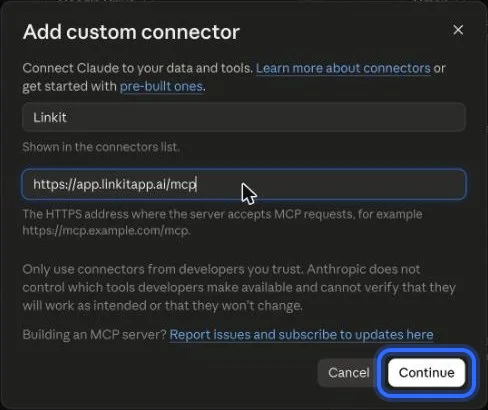
Linkit's address.
Every AI asks for a name and an address. Name it Linkit and paste this.
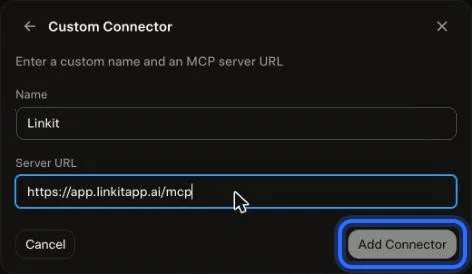
https://app.linkitapp.ai/mcp
ChatGPT · 7 steps
How do I connect Linkit to ChatGPT?
Do it once, in a web browser at chatgpt.com, not the app (a phone's browser works too). After that it works in any chat, free plan included.
 1
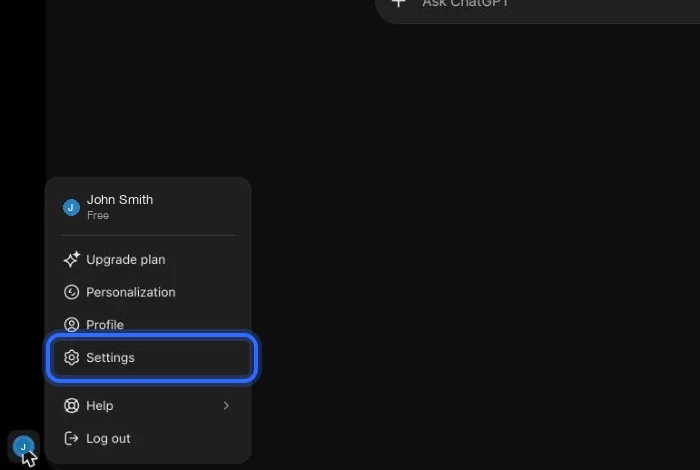
1On chatgpt.com, open your profile menu (bottom left) and choose Settings.
 2
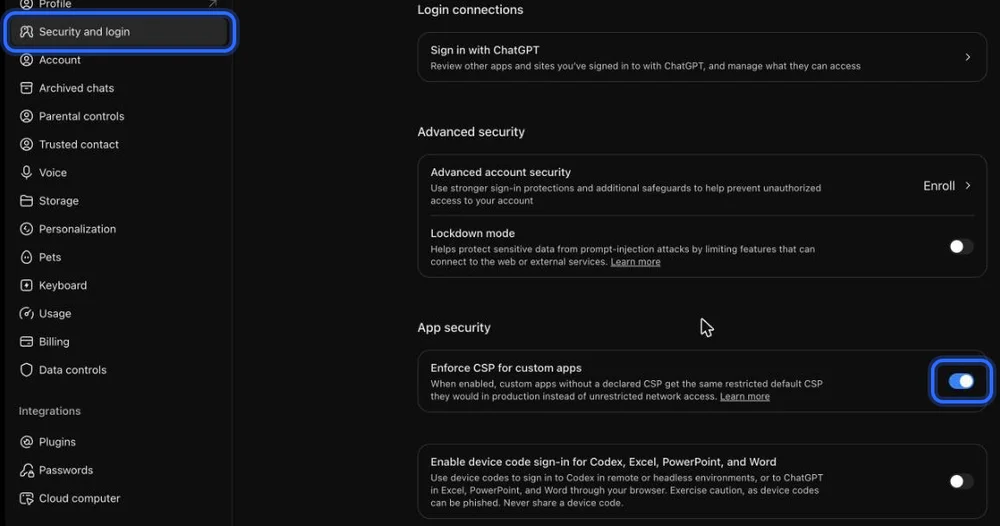
2Choose Security and login, scroll to App security, and turn on “Enforce CSP for custom apps”. If you don't see it, skip this step.
 3
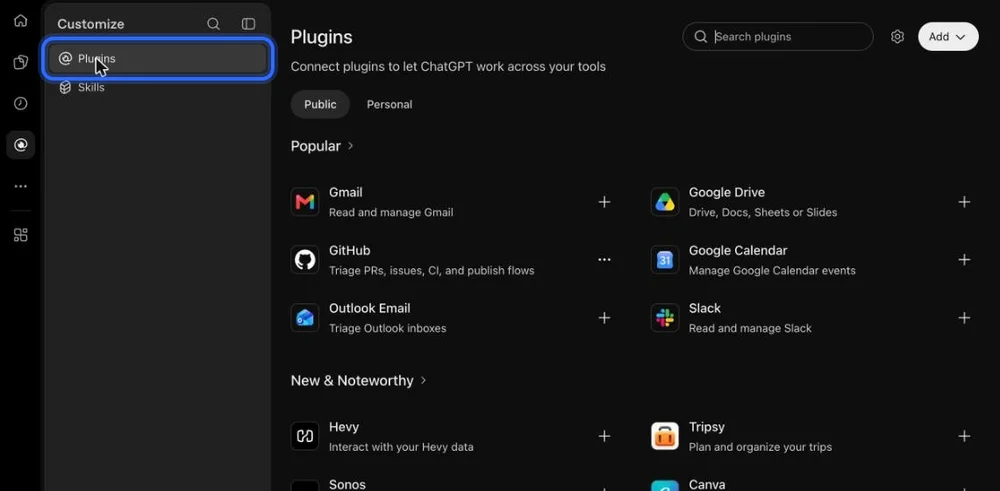
3Go back and open Plugins in the left sidebar.
 4
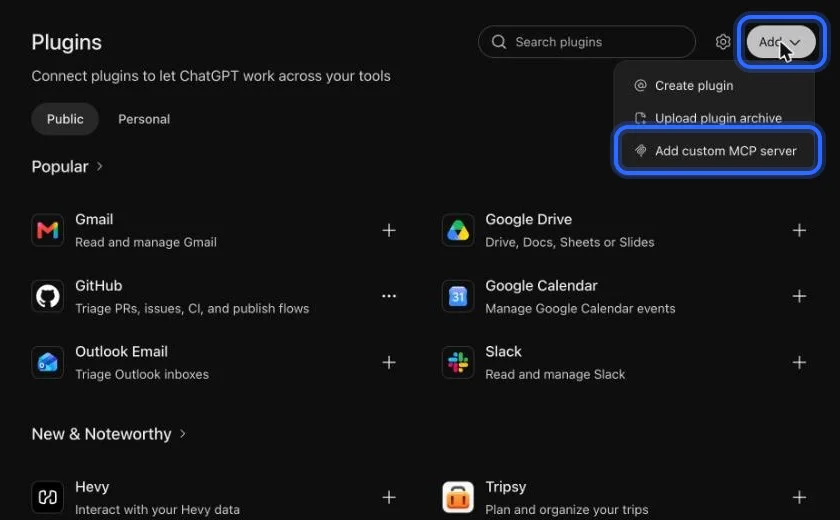
4Choose Add, then “Add custom MCP server”.
 5
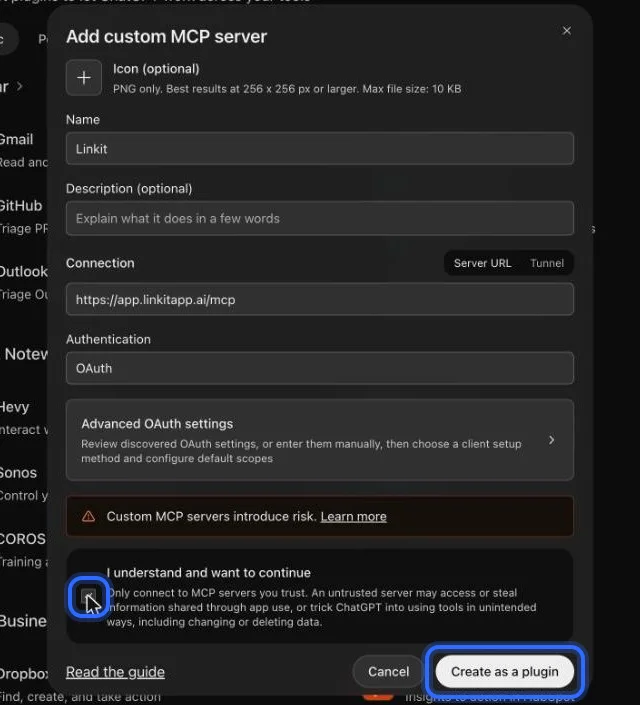
5Name it Linkit, paste the address below, keep OAuth, tick “I understand”, then choose Create as a plugin.
 6
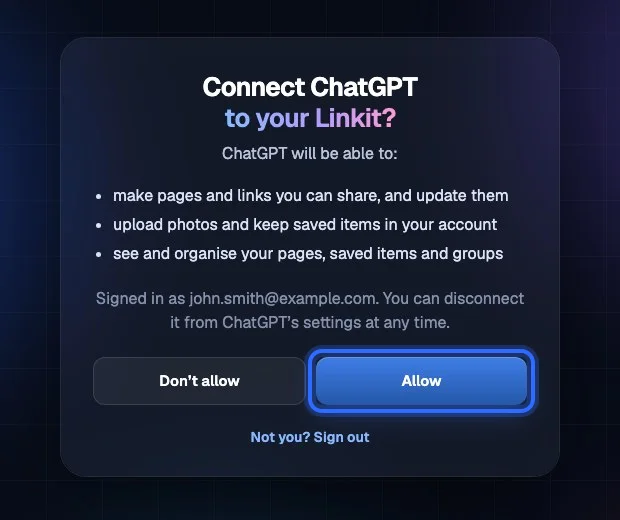
6Sign in to Linkit and choose Allow.
 7
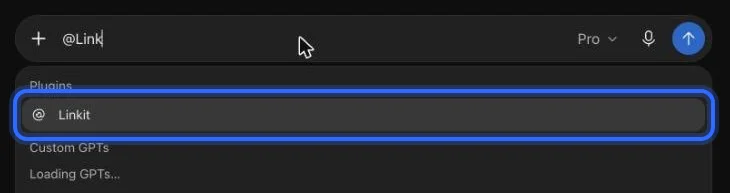
7In any chat, type @Linkit and pick it. Then ask for your page.
Claude · 6 steps
How do I connect Linkit to Claude?
Do it once, in a web browser at claude.ai, not the app (a phone's browser works too). The free plan works.
 1
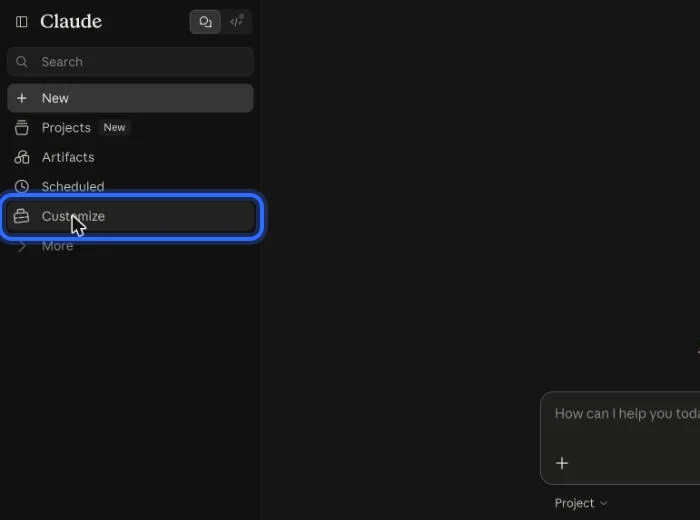
1In Claude, choose Customize in the left sidebar.
 2
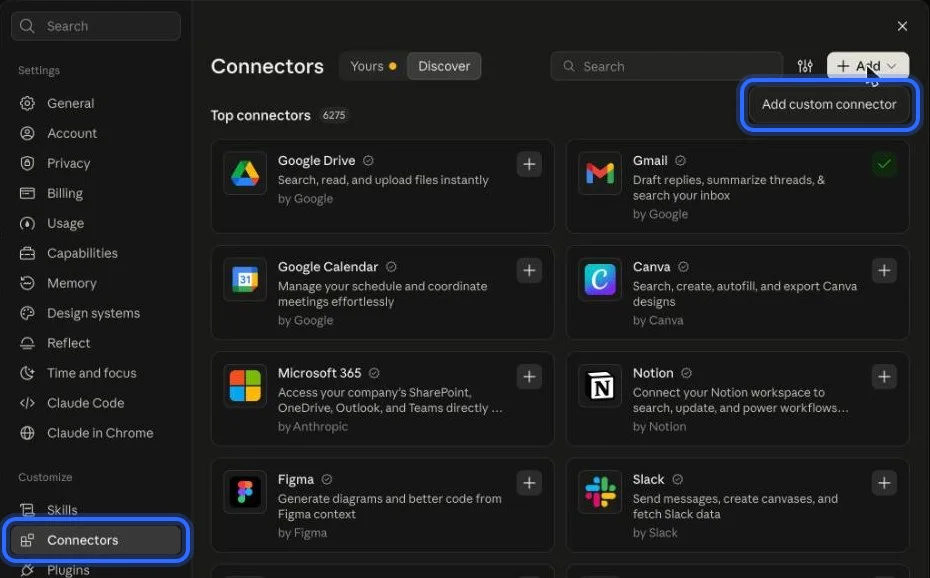
2Open Connectors, choose Add, then “Add custom connector”.
- 3
Name it Linkit, paste the address below and choose Continue.
 4
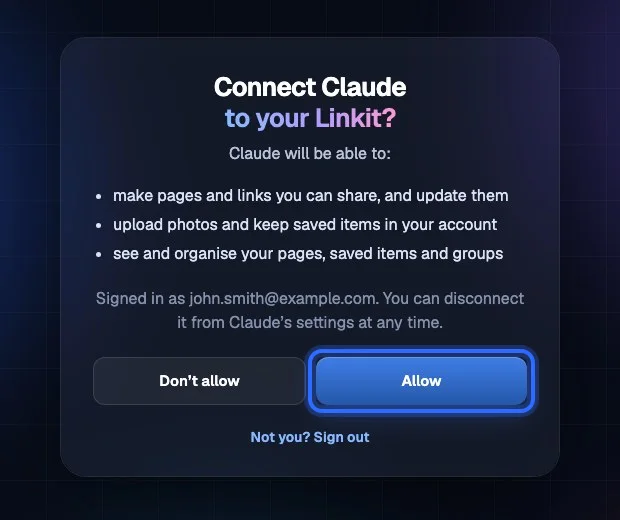
4Choose Connect, then sign in to Linkit and choose Allow.
 5
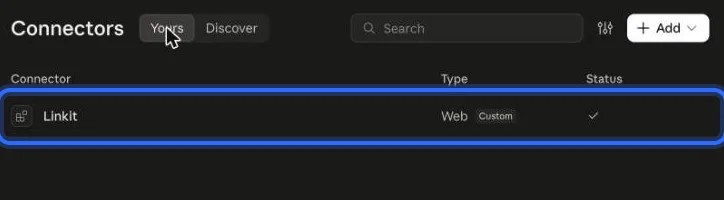
5Linkit gets a check in your connectors when it's connected.
 6
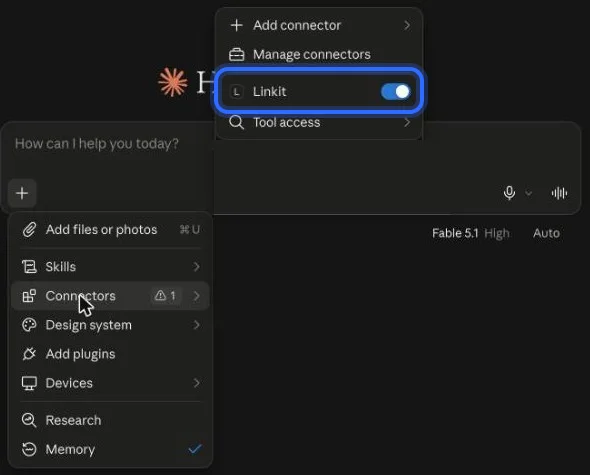
6In a chat, open + → Connectors and make sure Linkit is on.
Grok · 6 steps
How do I connect Linkit to Grok?
Do it once, in a web browser at grok.com, not the app (a phone's browser works too).
 1
1On grok.com, choose Plugins at the bottom of the left sidebar.
 2
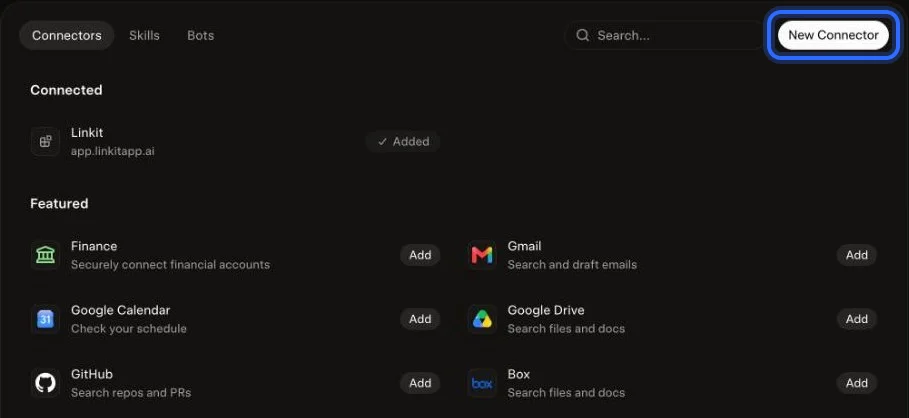
2Choose New Connector.
 3
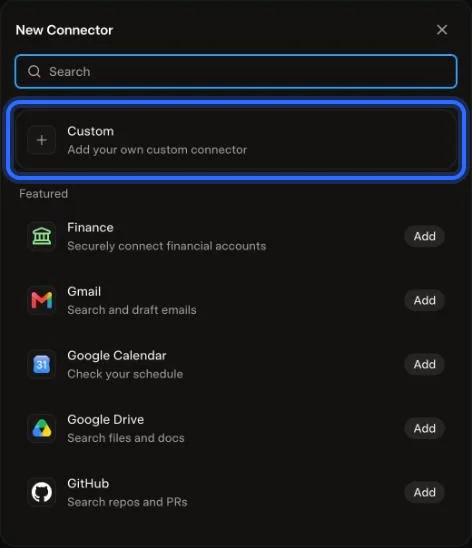
3Choose Custom.
 4
4Name it Linkit, paste the address below and choose Add Connector.
 5
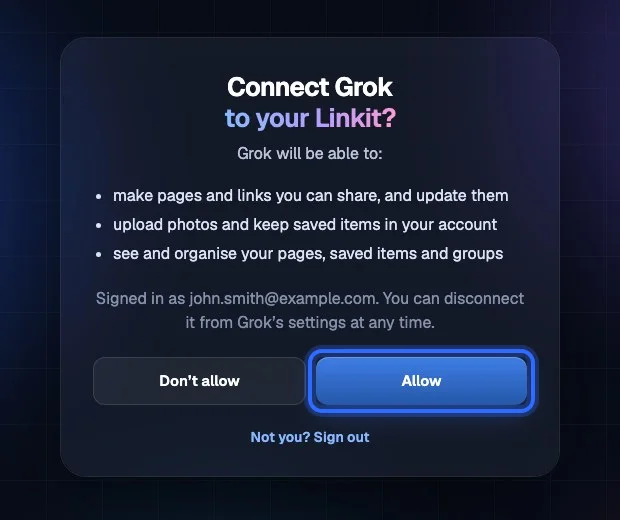
5Sign in to Linkit and choose Allow.
 6
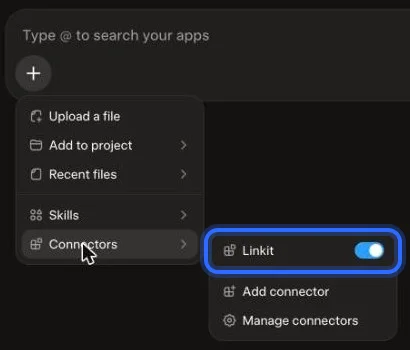
6In a chat, open + → Connectors and make sure Linkit is on.
After that
How do I use it?
In a chat, when an answer is worth sending, say “make this a Linkit.” In ChatGPT, type @Linkit first and pick it. Your AI makes the page and replies with the link.
Share an answer
Plan with a group
Claude or Grok
Questions
More questions
Do I have to connect it every time?
No. You connect it once. After that, Linkit is there in every chat.
Does it work on the free plans?
Yes. ChatGPT, Claude and Grok's free plans all work with Linkit, and Linkit is free to start.
Can I connect more than one AI?
Yes. Connect ChatGPT, Claude and Grok to the same Linkit account, and your links all show up in My links.
I don't see the setting in ChatGPT. What now?
Set it up in a web browser at chatgpt.com, not in the ChatGPT app. On a phone, type chatgpt.com into Safari or Chrome, since tapping a link may open the app. If you don't see “Enforce CSP for custom apps”, skip that step and carry on.
How do I check it's connected?
In Linkit, open Connect your AI: it shows which AIs are connected. In Claude, Linkit gets a check in your connectors list.