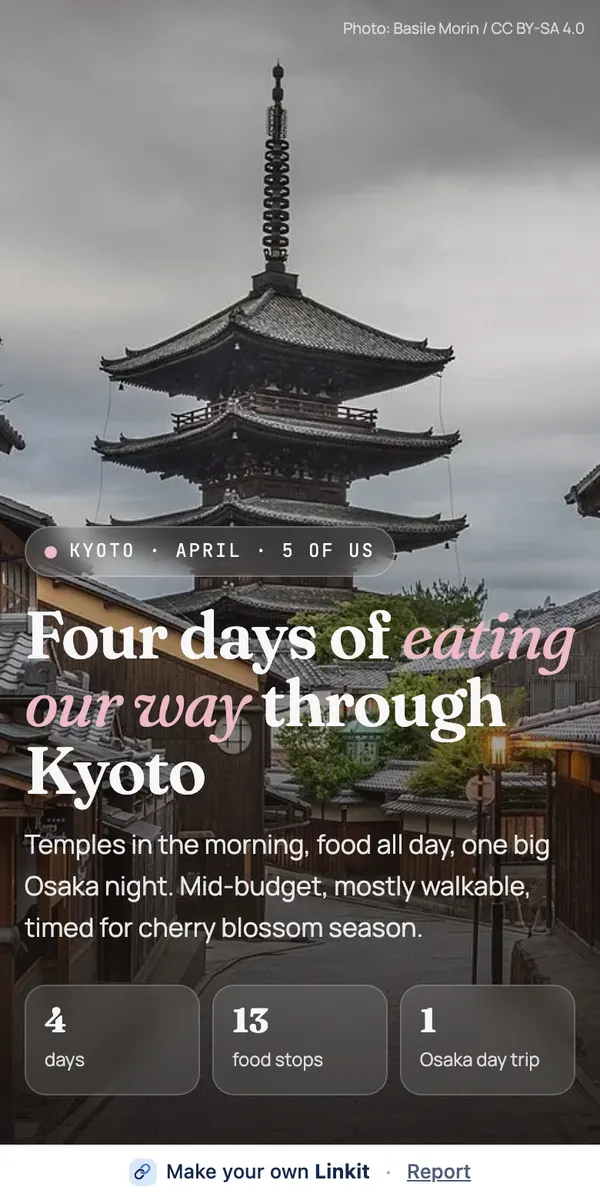
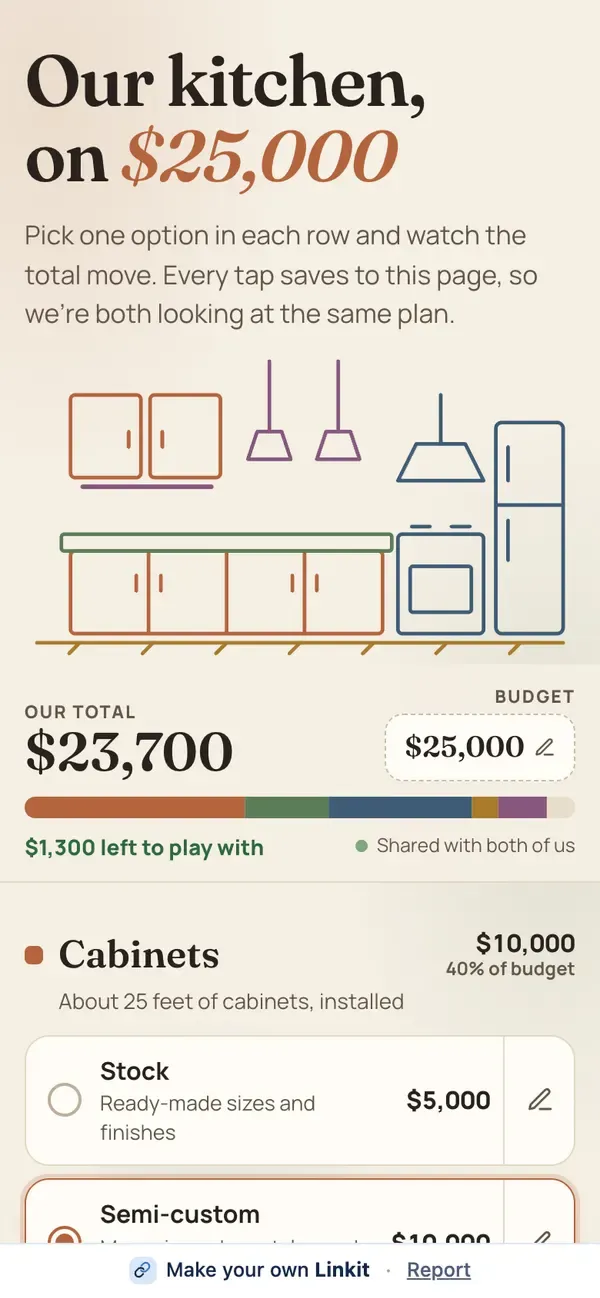
To share an AI trip plan with your group, connect Linkit to ChatGPT, Claude or Grok once, then say “make this a Linkit for the group” when the plan is ready. You get one link with the days, places, photos and maps laid out for a phone. Everyone opens it in their browser; nobody needs your AI, an app or an account.
One link. When plans change, ask your AI to update the page; the same link shows the new plan.
Ready to copy
Type this when the plan is settled.
Leave out what you don't need. “Make this a Linkit for the group” on its own works fine.
Make this a Linkit for the group: day by day, with a photo and a map link for each place, and a vote on the optional evening.
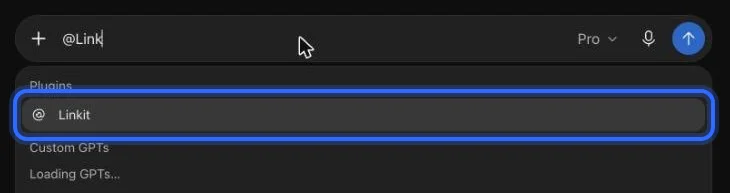
In ChatGPT: type @Linkit, pick it, then your line.
Step 1, in pictures
How do I connect Linkit to my AI?
Once, in a web browser (not the app; a phone's browser works too), in ChatGPT, Claude or Grok; it takes about a minute and the free plans work. These are the real screens, with a ring on what to press. The address to paste:
https://app.linkitapp.ai/mcp
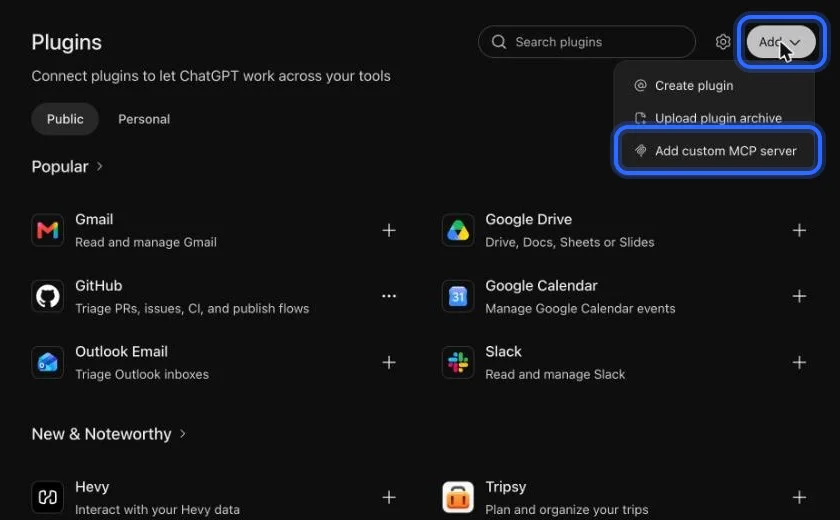
ChatGPT
Choose Add, then “Add custom MCP server”. All 7 steps →
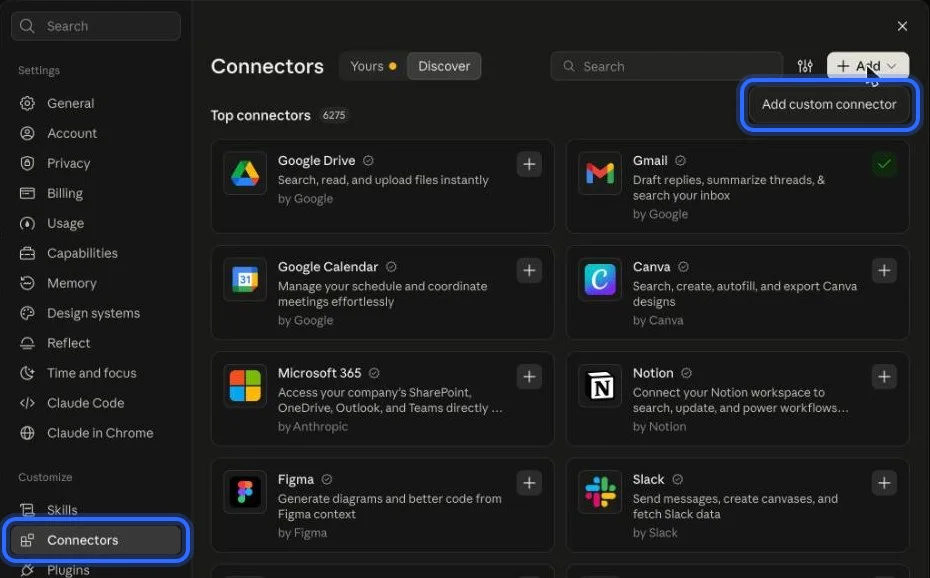
Claude
Open Connectors, choose Add, then “Add custom connector”. All 6 steps →
Grok
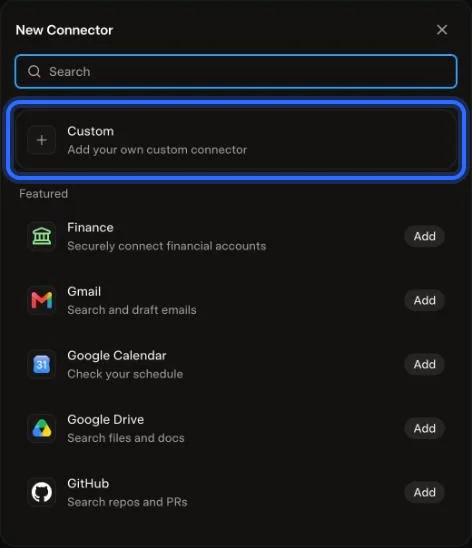
Choose Plugins, New Connector, then Custom. All 6 steps →
What we measured
How many screenshots is a trip plan?
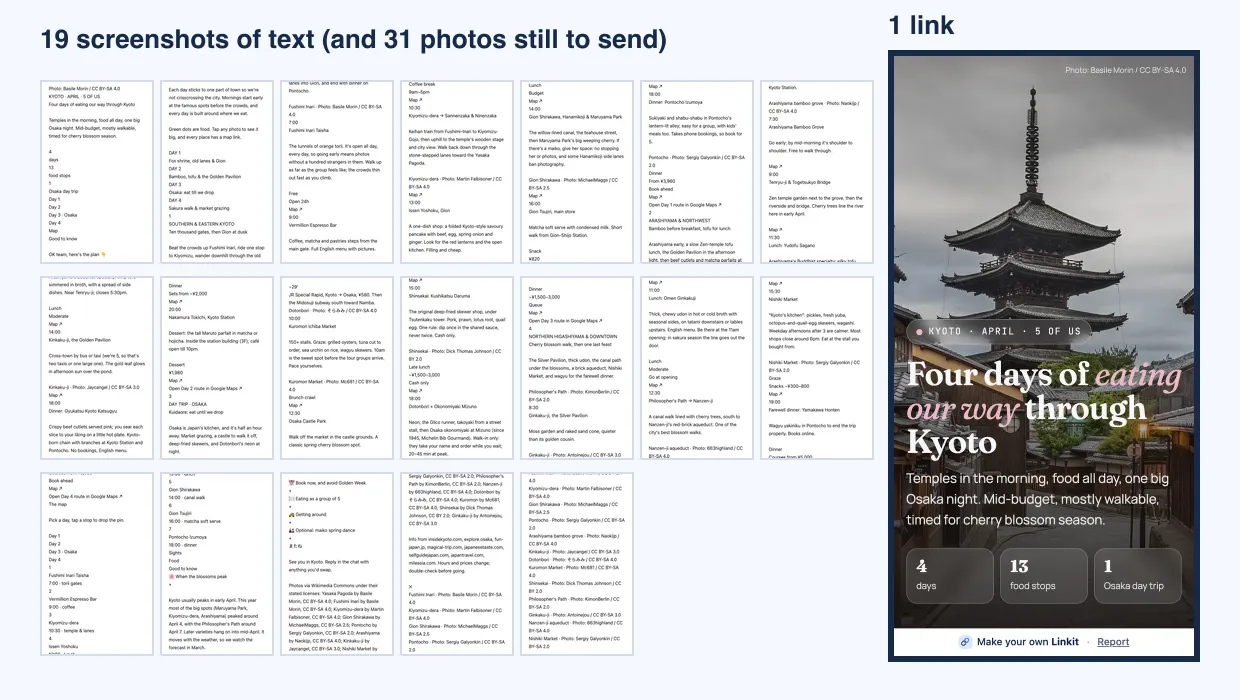
A real four-day Kyoto plan for five people came to 1,551 words and 31 photos. As chat text it fills 19 phone screens. As a Linkit page, it's one link. How we counted.
Left: the plan as 19 screenshots of text, with 31 photos still to send. Right: the same plan as one page.
What the group gets
What does the group see?
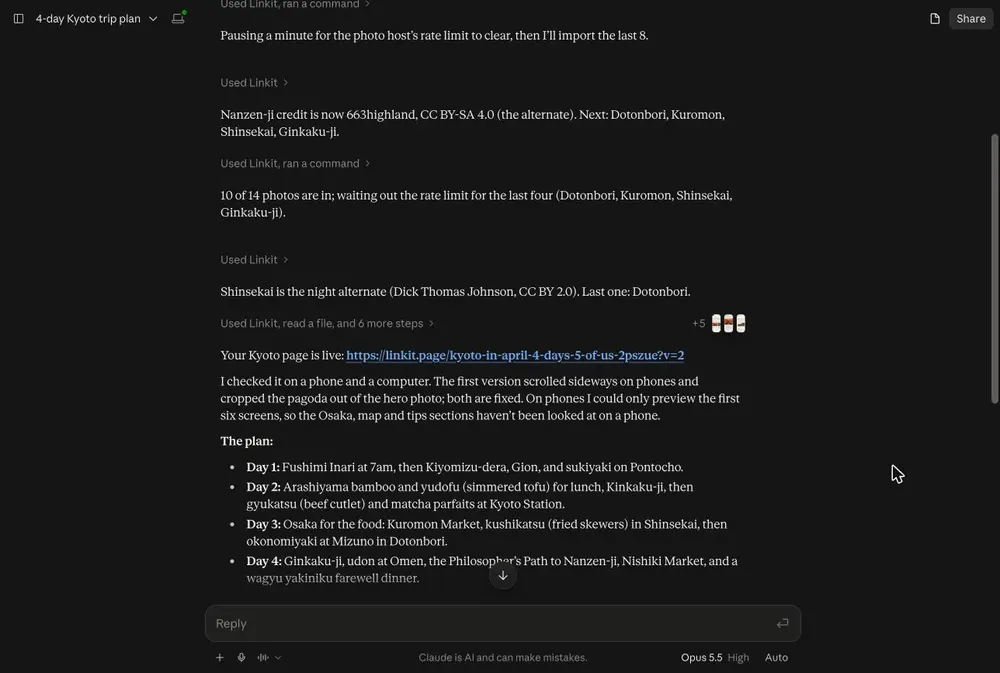
Our example: we asked Claude for four days in Kyoto for five people. Each day's plan, with times and places. Photos in galleries people can swipe. Google Maps for every stop, and tap-to-call buttons for bookings. A vote on the optional evening that everyone with the link sees.
Asked in Claude: four days for five people. On the right, the page the group opens.
During the trip
Can I change it during the trip?
Yes. Ask your AI; the group's link stays the same.
✎
Changing it
“Move the market to day 3”, “add the new hotel”. The page updates and the link stays the same, so the group always has the current plan.
☑
Who can change it
Only you, through your AI. The group can vote, sign up and tick checklists on the page, and everyone sees the same results.
◷
How long it lasts
On Free, 7 days. With Linkit Pro you choose, from 1 hour up to a year or forever, so a page can stay up for the whole holiday.
Good to know
Is the plan private?
Anyone with the link can open it, but nobody else can find it. A few more things worth knowing:
Share it with the group only
Anyone with the link can open it. Pages aren't listed on Linkit or in search engines.
Check the details that matter
The page is only as good as the plan. AI gets opening hours and prices wrong sometimes, so check the ones that matter before you book.
3 live links on Free
Changing a page doesn't use another one.
Your own photos
ChatGPT can take photos straight from the chat. Claude can't pass attached photos on to Linkit yet: upload them in Linkit (Saved items → + New → Upload photos), then ask Claude to use your latest photos.
Questions
More questions
Can everyone in the group edit it?
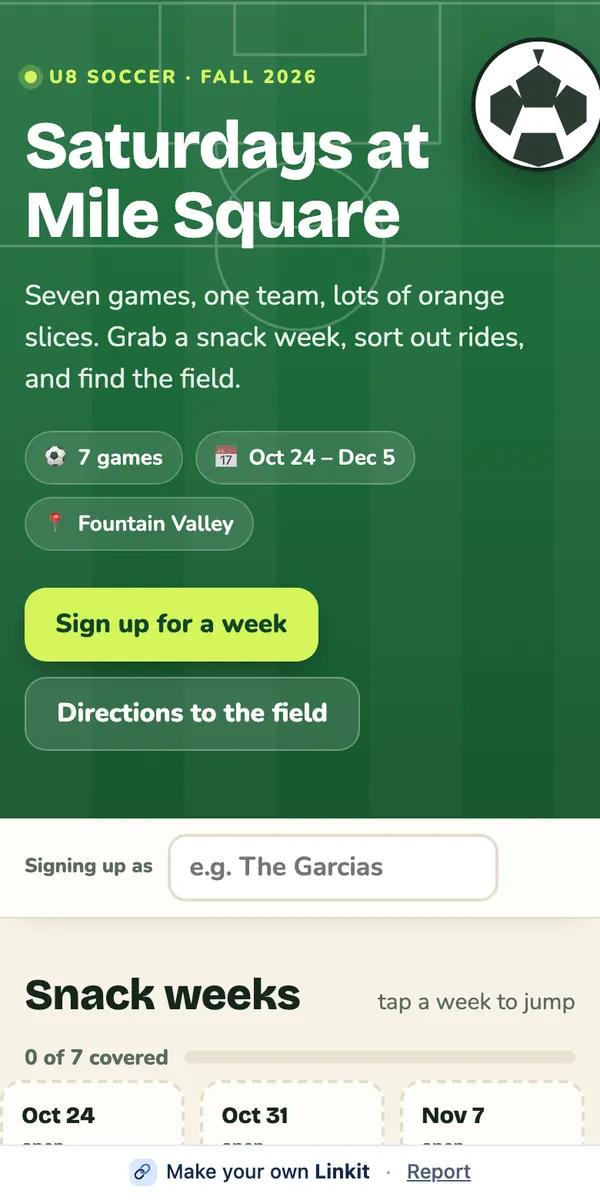
The page itself is changed by whoever made it, through their AI. But a page can include votes, sign-ups and checklists that anyone with the link can tap, and everyone sees the same results.
Will the link still work during the trip?
On Free, a link stays up 7 days. With Linkit Pro you choose, up to a year or forever, so a trip page can last through the whole holiday.
Does the group need to download anything?
No. The link opens in any browser on any phone or computer, with no app and no account.
Can it include maps?
Yes. Ask for a map or map links, and the page can show Google Maps for each place.
Which AI should I use?
Whichever you already use. Linkit works the same way in ChatGPT, Claude and Grok. For the nicest pages, pick your AI's strongest model and say how you want it to look.
 linkit