How to make a group poll from an AI chat and send it to friends
Everyone taps. Everyone sees the tally.
To make a group poll from an AI chat, ask ChatGPT, Claude or Grok to compare the options, then say “make this a Linkit with a vote”. You get one link to a page where everyone taps their choice and sees the same result. Voters don't need an account or an app.
Votes are saved on the page, so whoever opens it later sees the tally so far.
Ready to copy
Type this when the options are ready.
Want names? Add “with each person's name next to their vote”.
Make this a Linkit with a vote so everyone can pick one. Show the results on the page and keep it simple.
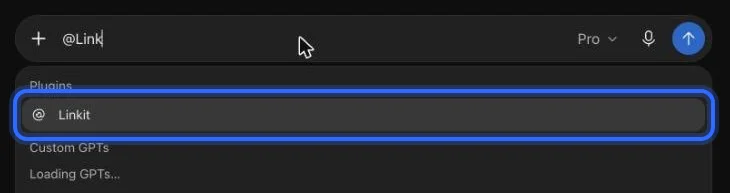
In ChatGPT: type @Linkit, pick it, then your line.
Step 1, in pictures
How do I connect Linkit to my AI?
Once, in a web browser (not the app; a phone's browser works too), in ChatGPT, Claude or Grok; it takes about a minute and the free plans work. These are the real screens, with a ring on what to press. The address to paste:
https://app.linkitapp.ai/mcp
ChatGPT
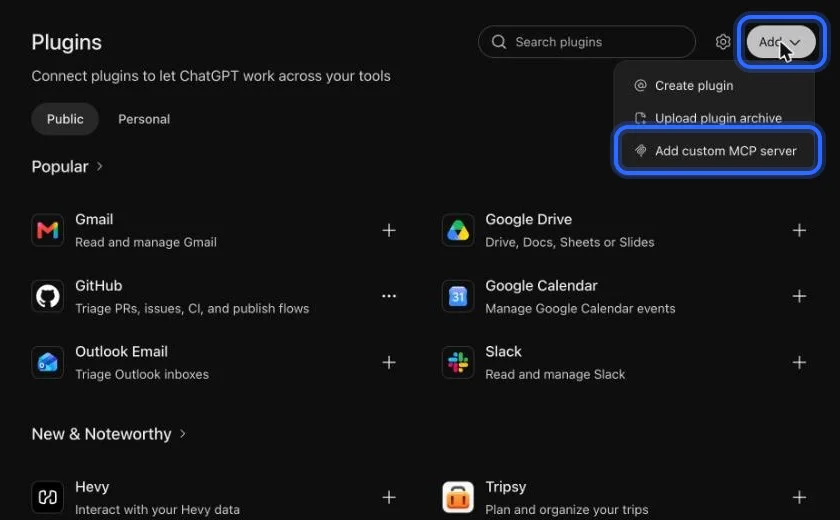
Choose Add, then “Add custom MCP server”. All 7 steps →
Claude
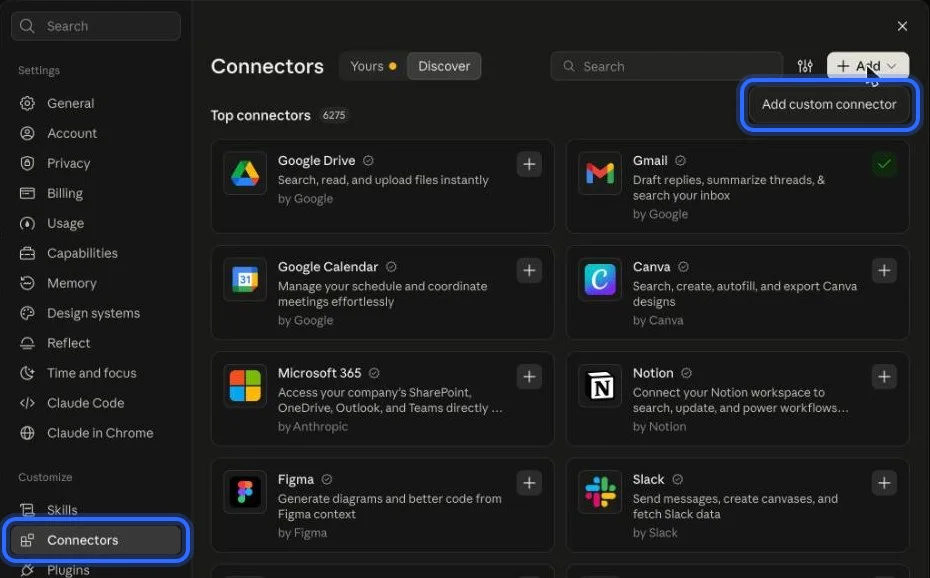
Open Connectors, choose Add, then “Add custom connector”. All 6 steps →
Grok
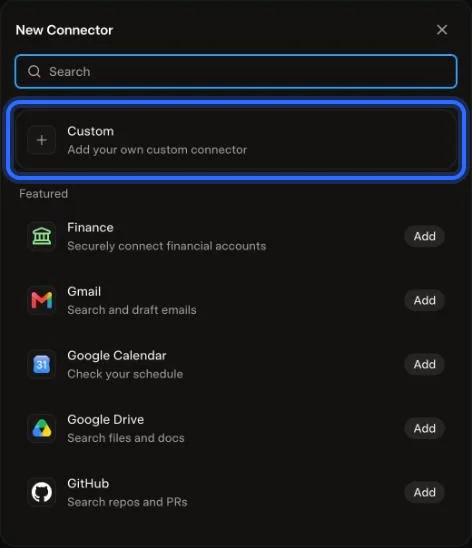
Choose Plugins, New Connector, then Custom. All 6 steps →
What a shared choice looks like
What does the other person see?
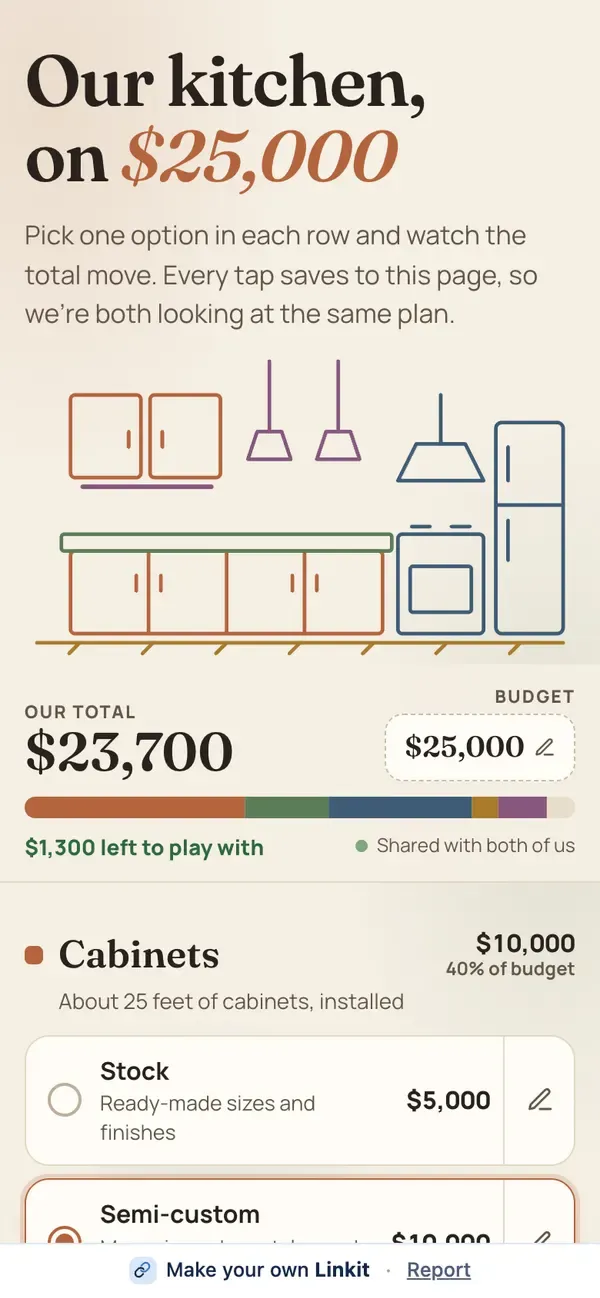
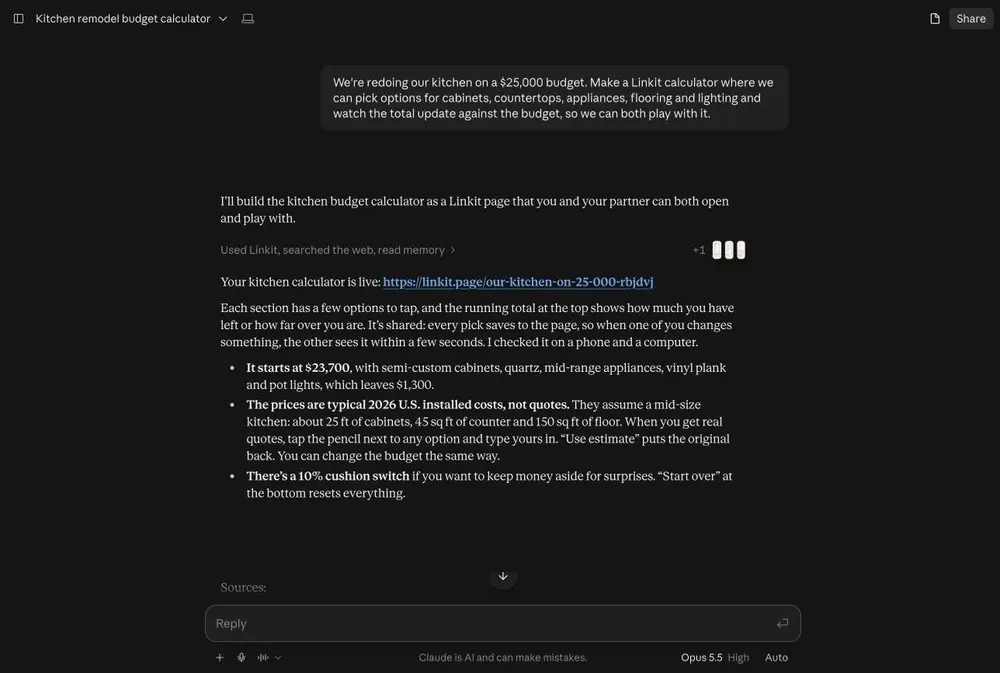
Our example: we asked Claude for a kitchen on a $25,000 budget where two people pick cabinets, counters and appliances together. Every tap is saved on the page, so whoever opens it sees the same picks and the same running total.
Asked in Claude: a kitchen budget two people pick through together. On the right, what the other person opens.
More than a yes or no
Can it do more than a vote?
Yes. The same idea works for anything a group has to decide or fill in together. Ask for a sign-up sheet, a pick-together budget, a checklist or a quiz, and everyone with the link sees the same page.
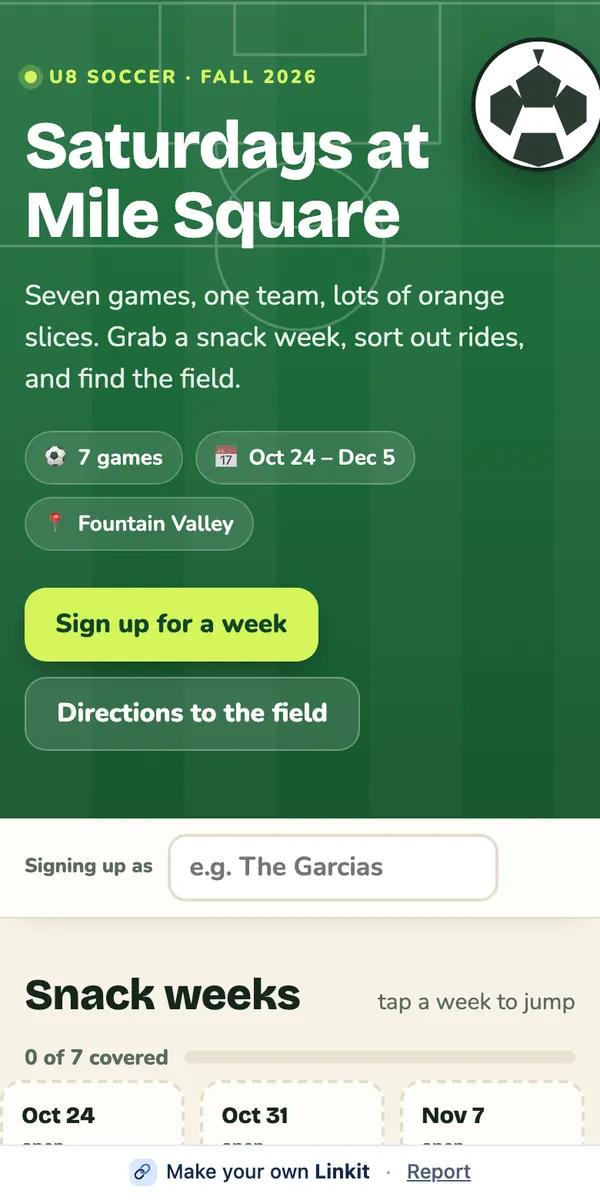
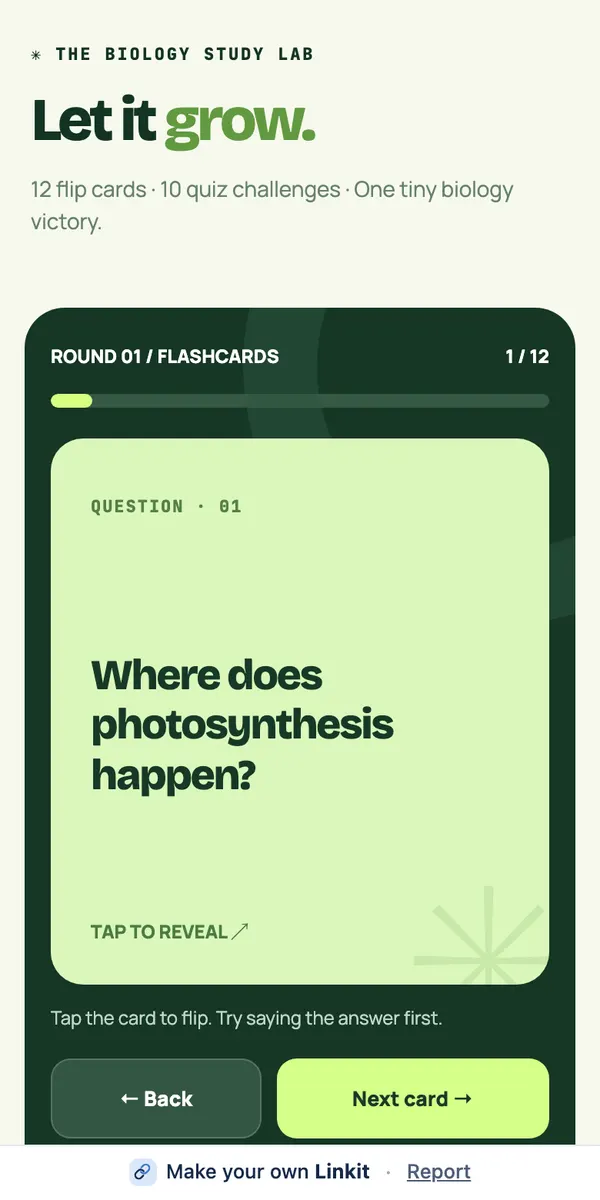
Snack and carpool sign-ups for a kids' team.A quiz for a study group, made from a revision chat.
After you've sent it
Who can see the results?
Anyone with the link sees the same page and the same tally.
Σ
Seeing the results
Everyone who opens the link sees the same tally. You can also ask your AI what the results are.
✎
Changing it
Ask your AI to add an option or fix a name. The page updates and the link stays the same.
◷
How long it lasts
On Free, 7 days. With Pro, you choose: from 1 hour up to a year, or forever. When the link ends, so does the voting.
Good to know
Can someone vote twice?
Polls are made for friends and groups, not elections, so they aren't locked down like a real ballot. A few more things worth knowing:
No names unless you ask
Linkit doesn't ask voters who they are. If names matter, ask your AI to put a name next to each vote.
Share it with the group only
Anyone with the link can vote. Pages aren't listed on Linkit or in search engines.
Nothing to install
Voters don't need Linkit, ChatGPT, Claude or Grok. The link opens in any browser.
3 live links on Free
Changing a page doesn't use another one.
Questions
More questions
Do voters need an account?
No. They open the link in their browser and tap. Linkit doesn't ask who they are.
Can someone vote twice?
Polls are made for friends and groups, not elections, so they aren't locked down like a real ballot. If it matters, ask your AI to show each person's name next to their vote.
Who can see the results?
Anyone with the link sees the same page and the same tally. You can also ask your AI what the results are.
Can people vote from a computer?
Yes. The link works in any browser on any phone or computer.
How long does the poll stay open?
On Free, a link stays up 7 days. With Linkit Pro you choose: 1 hour, 5 hours, 1 day, 7 days, up to a year, or forever. On any plan you can delete a link sooner and it stops working at once. When the link ends, so does the voting.
 linkit