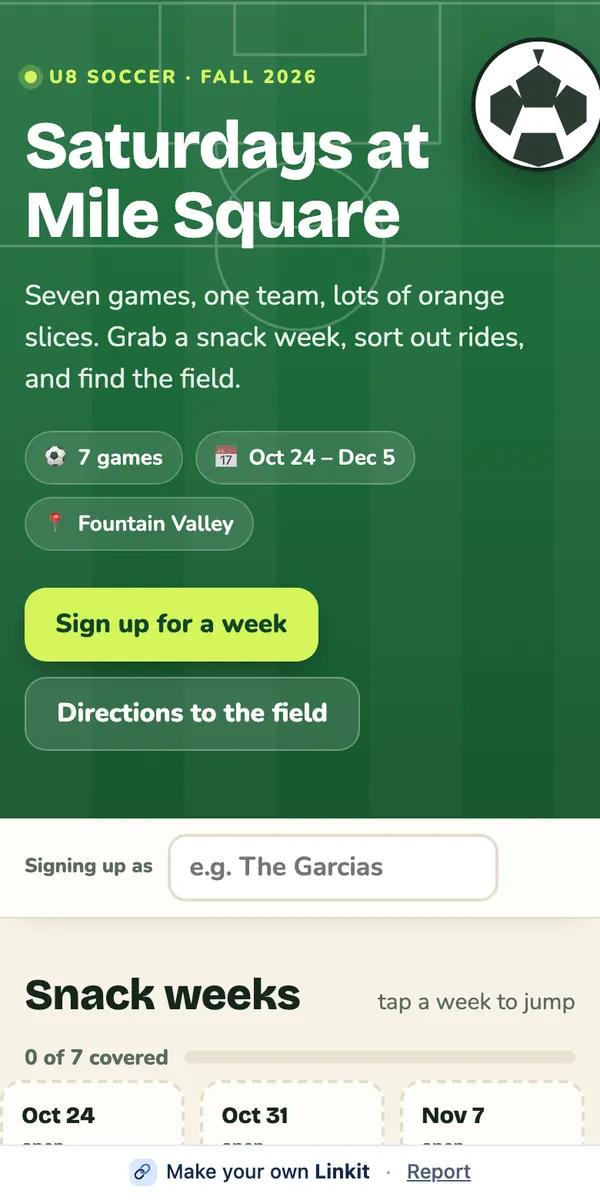
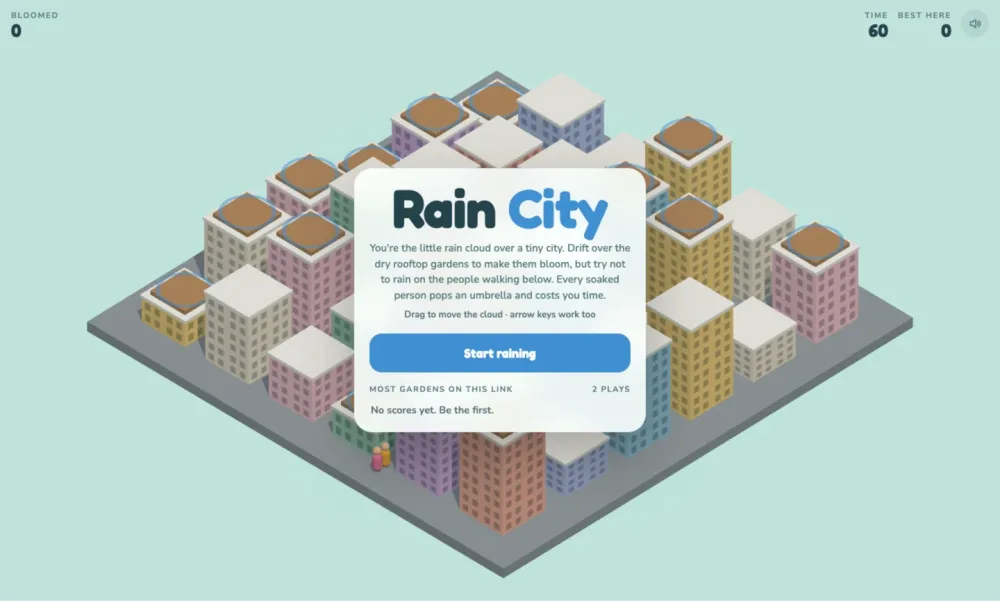
To share a Claude artifact with someone, connect Linkit to Claude once, turn it on in the chat, and say “make this a Linkit”. Claude turns what it made into a page and replies with a link that opens in any browser, with no Claude account and nothing to install. It works for a chat answer, the result of a project, or an artifact: a quiz, a tool, a plan.
Claude replies with a link. Open it to check it, then send it by text, WhatsApp or email.
Ready to copy
Type this under the artifact.
For something people fill in or play, say so: “with a vote”, “keep the scores on the page”. Say who it's for and it fits them.
Make this a Linkit. Keep it working the way it does here, and easy to use on a phone.
In Claude: make sure Linkit is on under + → Connectors, then type your line.
Step 1, in pictures
How do I connect Linkit to Claude?
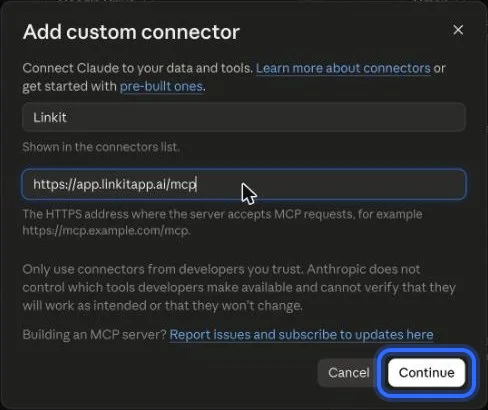
Once, in a web browser at claude.ai (not the app; a phone's browser works too); it takes about a minute. These are the real screens, with a ring on what to press. The address to paste:
https://app.linkitapp.ai/mcp
1
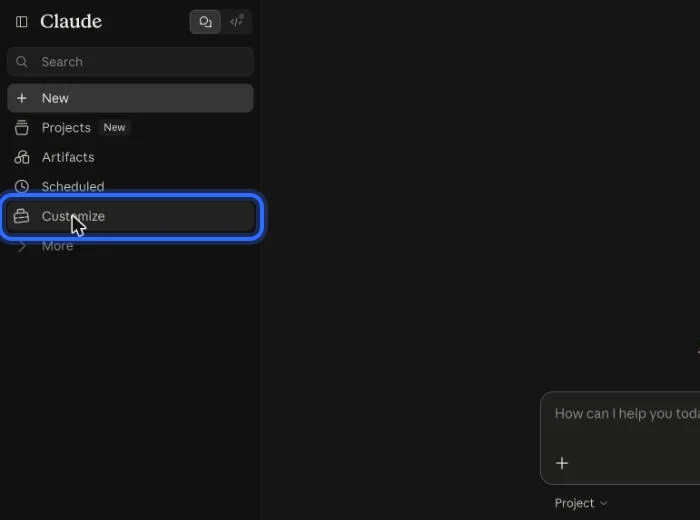
In Claude, choose Customize in the left sidebar.
2
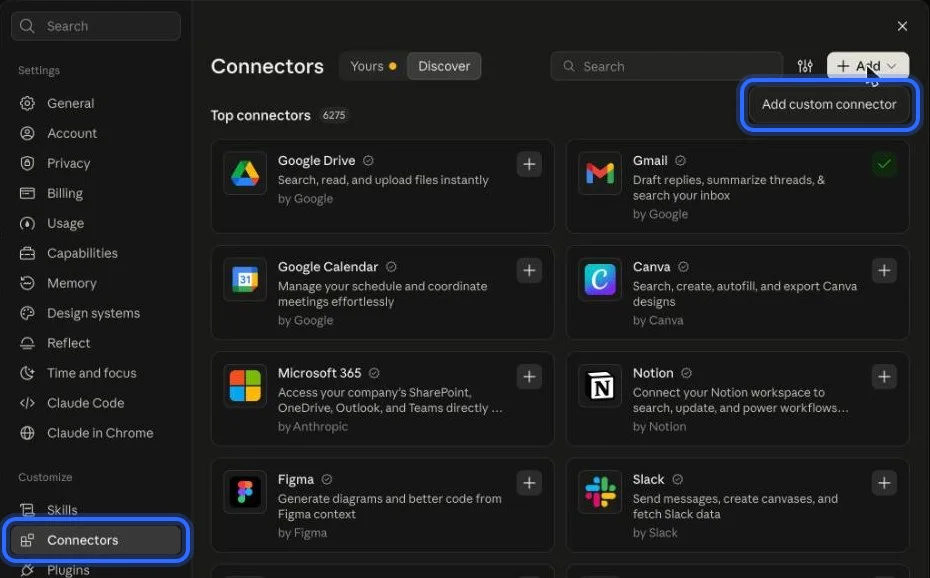
Open Connectors, choose Add, then “Add custom connector”.
3
Name it Linkit, paste the address below and choose Continue.
4
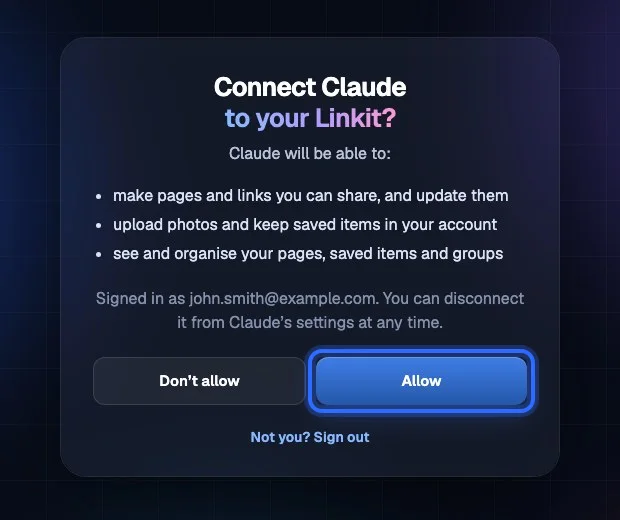
Choose Connect, then sign in to Linkit and choose Allow.
5
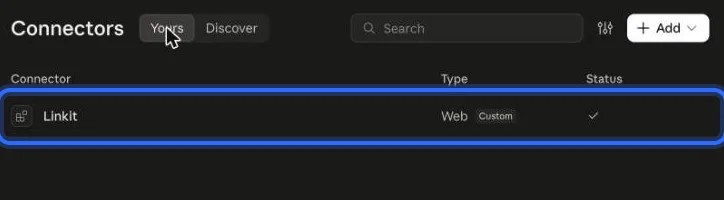
Linkit gets a check in your connectors when it's connected.
6
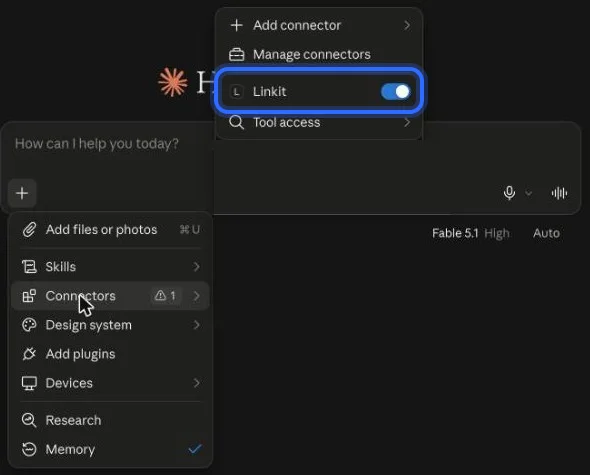
In a chat, open + → Connectors and make sure Linkit is on.
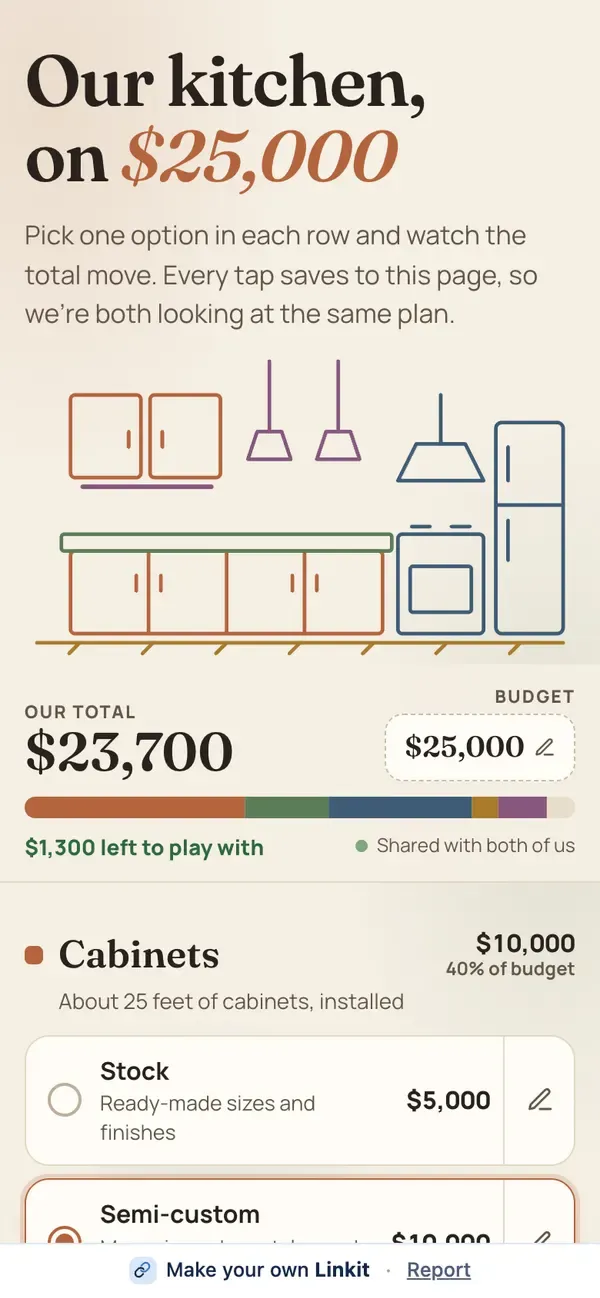
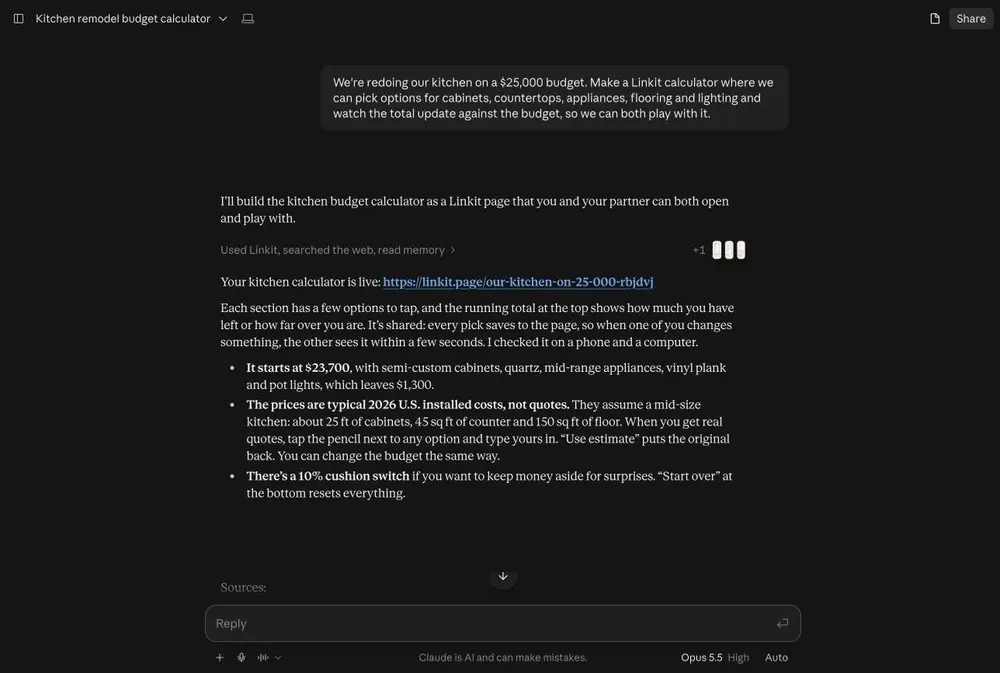
The artifact as a page, not the chat around it. Our example: we asked Claude for a kitchen on a $25,000 budget where two people pick cabinets, counters and appliances together. Every pick is saved on the page, so both see the same total.
Asked in Claude. On the right, the page the other person opens.
Chats and projects too
What about a Claude chat or a project?
The same words work for all three. The page holds the result; your side of the conversation stays in Claude.

A chat answer
Say “make this a Linkit” under the answer. The page holds that answer, laid out for a phone: photos, maps and buttons included.
▤
A project
A project is your workspace in Claude. The other person usually wants what came out of it, so ask Claude to make that a Linkit. One page per thing you send.
▶
An interactive artifact
Games, quizzes, tools, polls and sign-ups work as pages. Answers, votes and scores are saved on the page, so everyone with the link sees the same ones.
After you've sent it
Can I change it after I send it?
Yes. Ask Claude in the same chat; the link stays the same.
✎
Changing it
“Make the buttons bigger”, “add a third option”. The page updates and everyone sees the new version.
▣
Adding your photos
Claude can't pass photos you attach in its chat on to Linkit yet. Upload them in Linkit instead (Saved items → + New → Upload photos), then ask Claude to use your latest photos.
◷
How long it lasts
On Free, 7 days. With Pro, you choose: from 1 hour up to a year, or forever. Delete it sooner and it stops working at once.
Good to know
Is the link private?
Anyone with the link can open it, but nobody else can find it. A few more things worth knowing:
Your chat stays private
The page is made from the artifact or the answer. Your questions and earlier drafts aren't on it.
Only people you send it to
Anyone with the link can open it, like a shared document. Pages aren't listed on Linkit or in search engines.
3 live links on Free
Changing a page doesn't use another one.
Check before you send
Claude can make mistakes, so open the page and try it first. If something's off, ask for a fix.
Questions
More questions
Does the person I send it to need Claude?
No. A Linkit link opens in any browser on any phone or computer. They don't need an account or an app.
Does it work on Claude's free plan?
Yes. Connect Linkit once under Customize → Connectors, then turn it on in any chat.
Can't I use Claude's own share button?
You can, when Claude offers one for what you made. A Linkit is different: it's a page made from the result, it opens in any browser without a Claude account, you can change it later and the link stays the same, and it stops working when you say so.
Can I share just one artifact from a long chat?
Yes. Say which one: “make the quiz a Linkit”. The page holds only that.
How long does the link last?
On Free, a link stays up 7 days. With Linkit Pro you choose: 1 hour, 5 hours, 1 day, 7 days, up to a year, or forever. On any plan you can delete a link sooner and it stops working at once.
 linkit