ChatGPT share link not working? What to check, and another way to send it
Can't open it? Send the answer instead.
If a ChatGPT share link isn't working, check that the whole link was copied, then ask the sender for a fresh one: they may have deleted the chat or the link. If you're the one sending, there's a simpler way: say “make this a Linkit” and send one link to a page with just the answer. It opens in any browser, no ChatGPT account needed.
Connect Linkit to ChatGPT once, in a web browser (not the app). Then type this under the answer you want to send.
@Linkit Make this a Linkit. Keep it clear and easy to read on a phone.
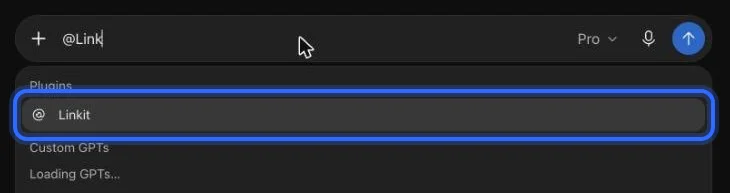
In ChatGPT: type @Linkit, pick it, then your line.
Step 1, in pictures
How do I connect Linkit to ChatGPT?
Once, in a web browser at chatgpt.com (not the app; a phone's browser works too); it takes about a minute. These are the real screens, with a ring on what to press. The address to paste:
https://app.linkitapp.ai/mcp
1
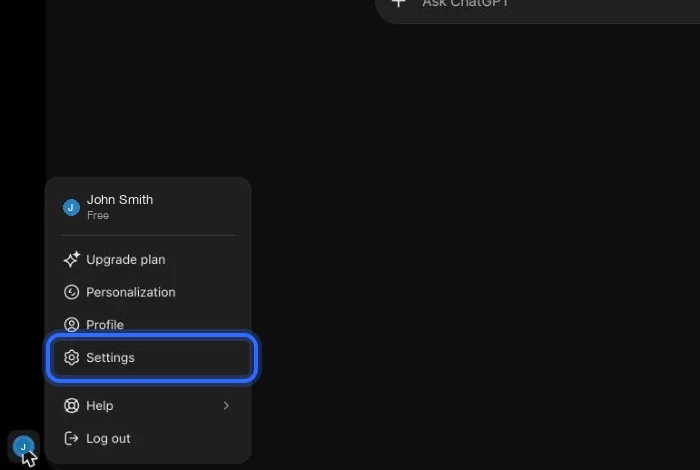
On chatgpt.com, open your profile menu (bottom left) and choose Settings.
2
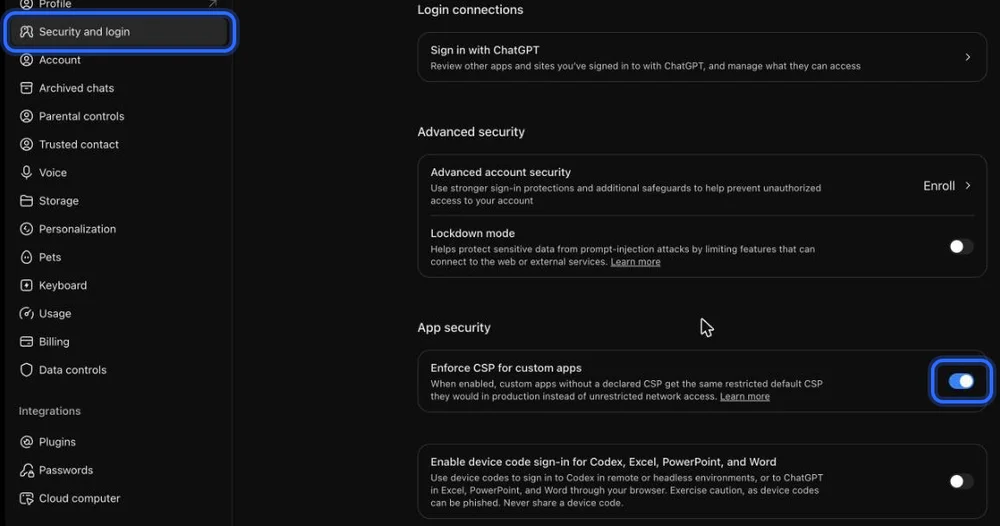
Choose Security and login, scroll to App security, and turn on “Enforce CSP for custom apps”. If you don't see it, skip this step.
3
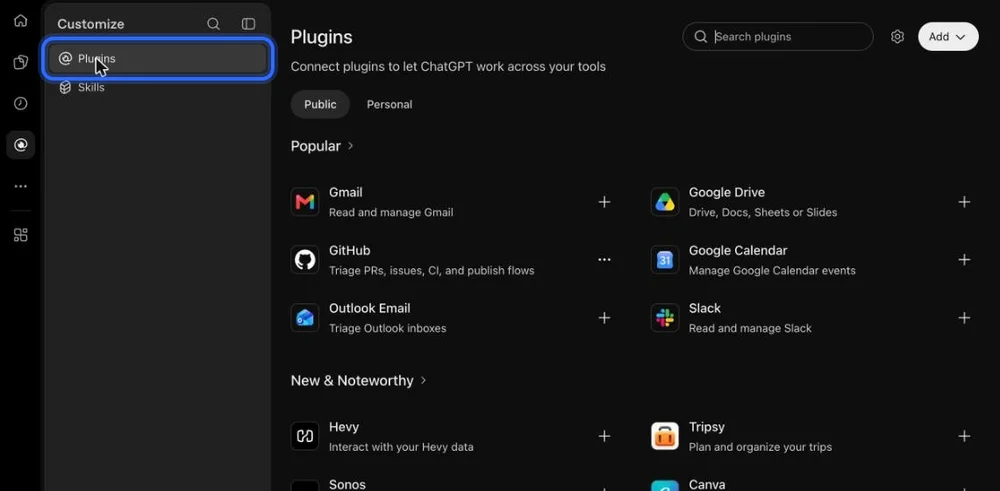
Go back and open Plugins in the left sidebar.
4
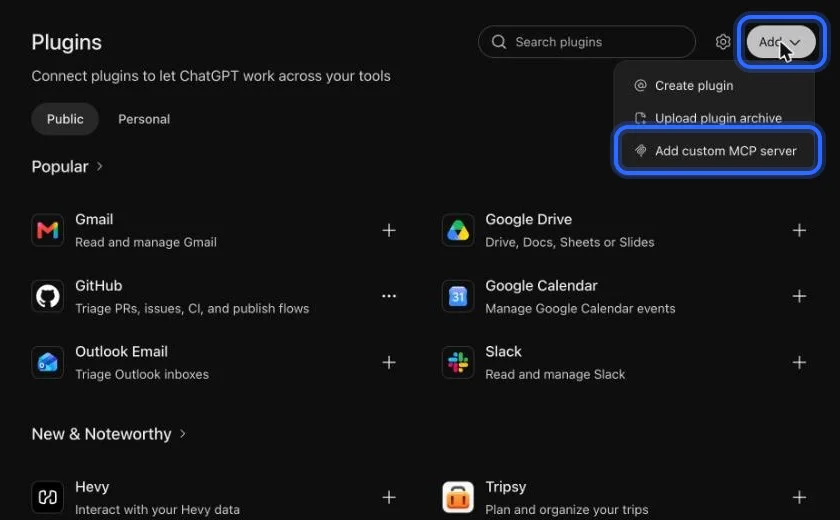
Choose Add, then “Add custom MCP server”.
5
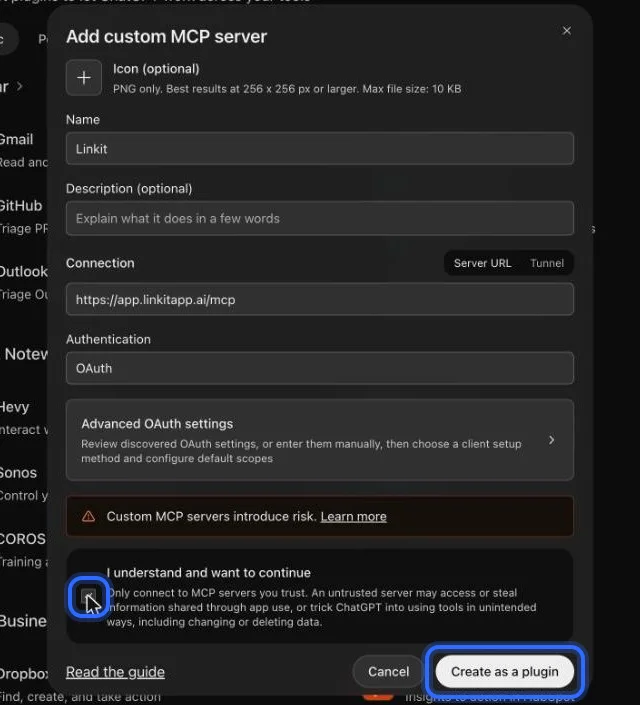
Name it Linkit, paste the address below, keep OAuth, tick “I understand”, then choose Create as a plugin.
6
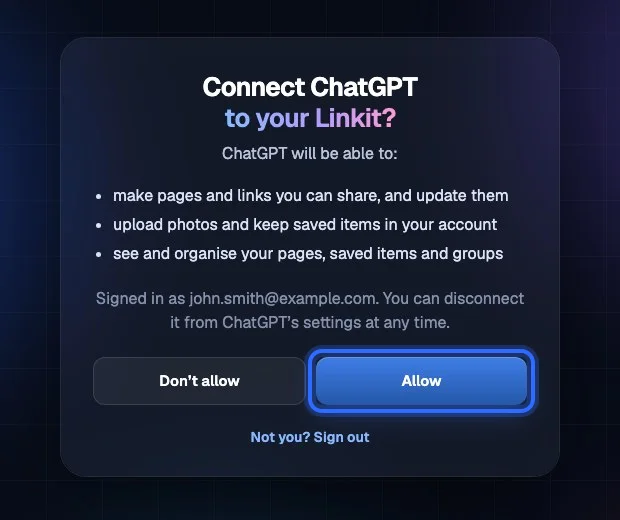
Sign in to Linkit and choose Allow.
7
In any chat, type @Linkit and pick it. Then ask for your page.
Connect Linkit to ChatGPT once, type the line above under the answer, and ChatGPT replies with a link to a clean page. The page shows the answer, not your chat, and it opens in any browser.
1
Connect once
In a web browser, not the app; about a minute, and the free plan works. The steps.
2
Type one line
Under the answer: “@Linkit, make this a Linkit.” Say who it's for and it fits them.
3
Send the link
Open it to check it, then send it by text, WhatsApp or email. Ask for changes later; the link stays the same.
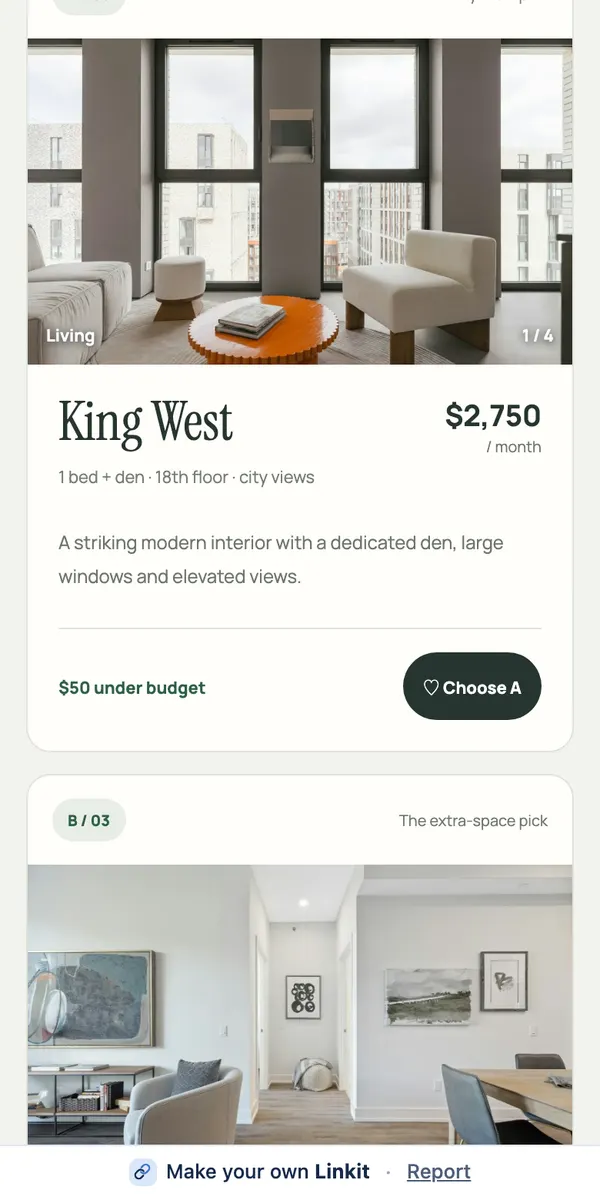
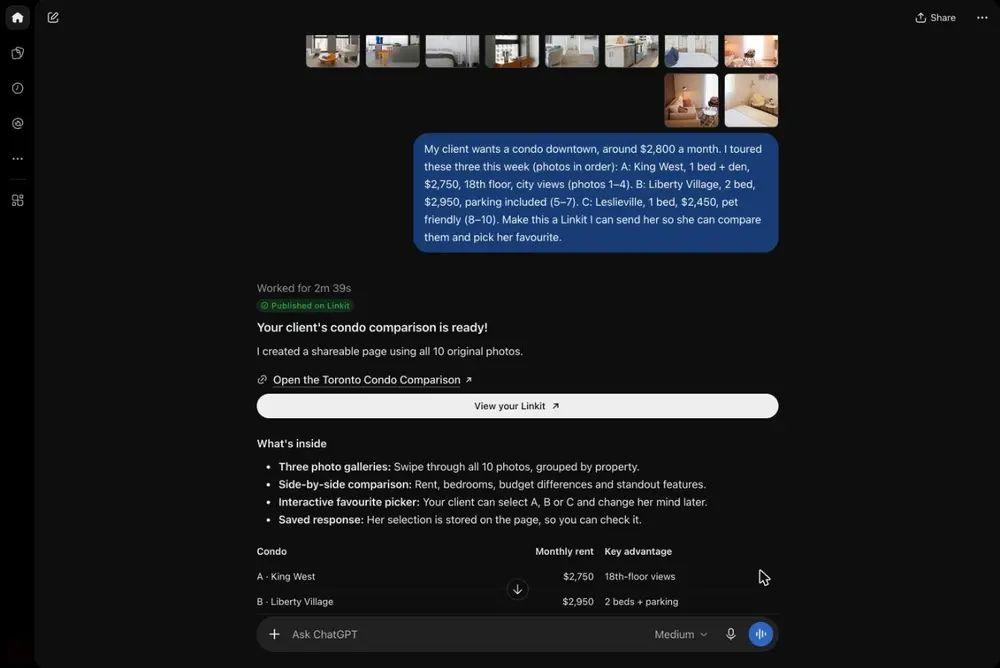
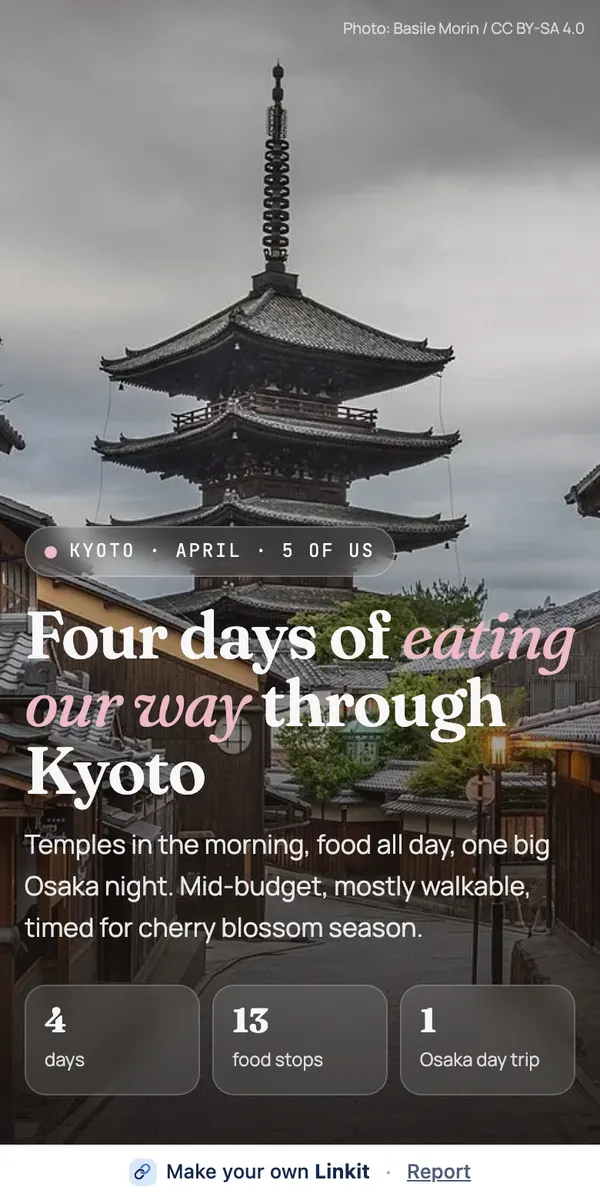
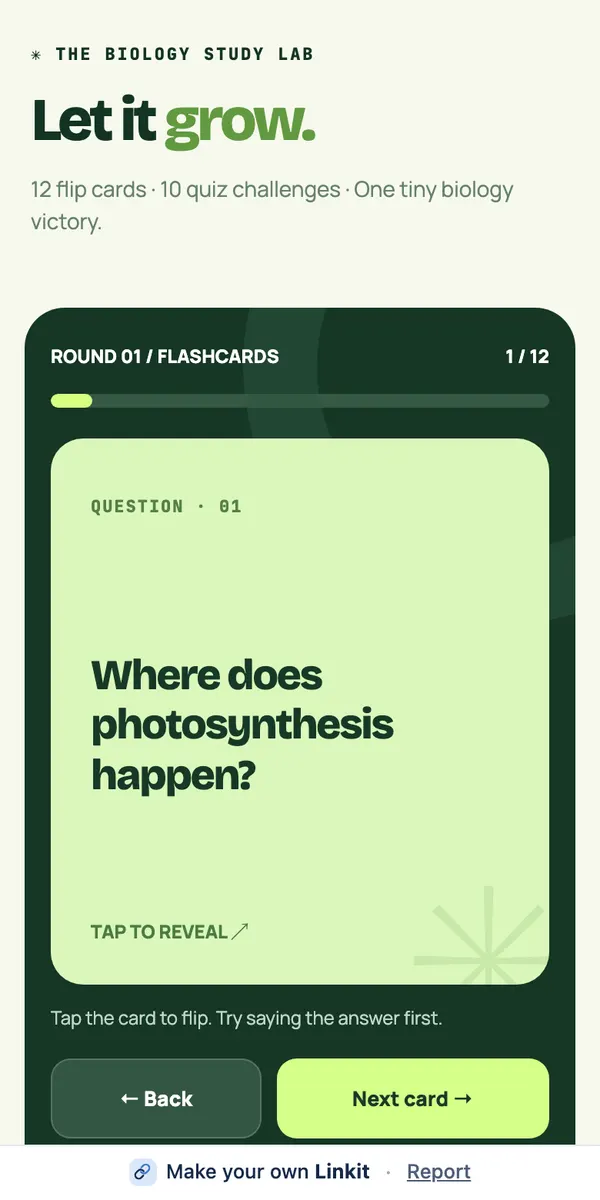
Asked in ChatGPT: three condos and ten photos. On the right, the page the other person opens.
On the Linkit side
What if a Linkit link stopped working?
A Linkit link stops working when its time is up or when it's deleted. Both are easy to sort out.
It reached its time
On Free, a link stays up 7 days. With Linkit Pro you choose: 1 hour, 5 hours, 1 day, 7 days, up to a year, or forever. When the time is up, the link stops working on its own.
It was deleted
Deleted links wait in My links → Recently deleted for 30 days. Restore one and it works again at the same address.
You need it up longer
With Pro you can change a link's time any time in My links, or by asking your AI.
Someone can't open it
Check the whole address was pasted. It's a readable linkit.page address that opens in any browser, with no app or account.
Questions
More questions
Why won't a ChatGPT share link open?
Usually the link was cut short when it was pasted, or the sender has since deleted the chat or the link. Check the address is complete, then ask for a fresh one.
Does the other person need ChatGPT to open a Linkit?
No. A Linkit link opens in any browser on any phone or computer, with no account or app.
Can I send just one answer from a long chat?
Yes. Type the line under that answer, or say “make this answer a Linkit”. The page holds only that answer.
I deleted my Linkit page by mistake.
Open My links → Recently deleted and restore it. You have 30 days, and it comes back at the same address.
How long does a Linkit link last?
On Free, a link stays up 7 days. With Linkit Pro you choose: 1 hour, 5 hours, 1 day, 7 days, up to a year, or forever. On any plan you can delete a link sooner and it stops working at once.
 linkit