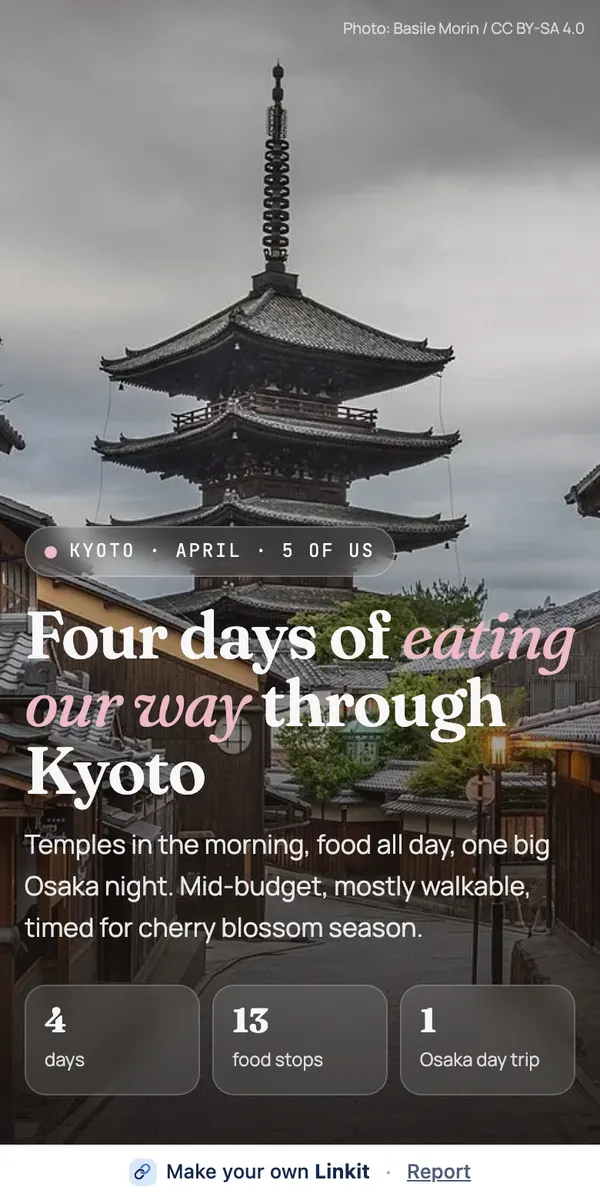
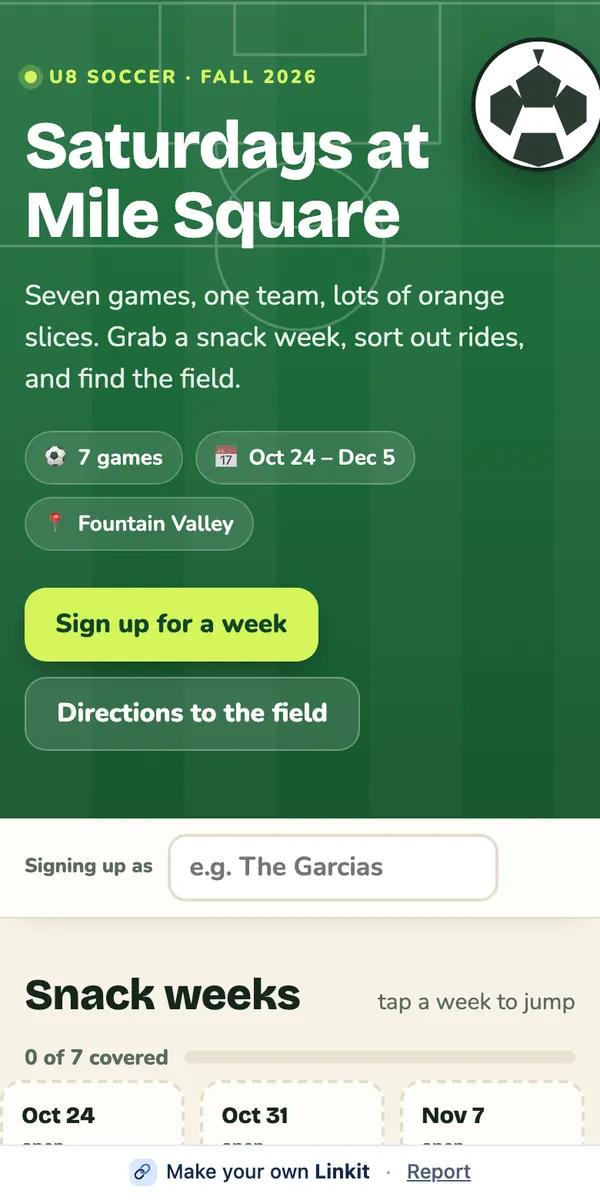
To send a ChatGPT answer to someone, connect Linkit to ChatGPT once, then type “@Linkit, make this a Linkit” under the answer. ChatGPT turns it into a clean page and replies with a link that opens on any phone, photos and maps included. They don't need ChatGPT or an app.
ChatGPT replies with a link. Open it to check it, then send it by text, WhatsApp or email.
Ready to copy
Type this under the answer.
Say who it's for and it'll fit them: “for my client, with the photos big”, or “for my parents, large text”.
@Linkit Make this a Linkit. Keep it clear and easy to read on a phone.
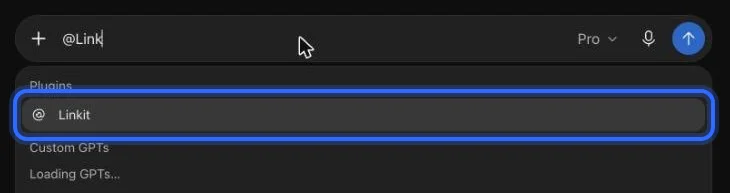
In ChatGPT: type @Linkit, pick it, then your line.
Step 1, in pictures
How do I connect Linkit to ChatGPT?
Once, in a web browser at chatgpt.com (not the app; a phone's browser works too); it takes about a minute. These are the real screens, with a ring on what to press. The address to paste:
https://app.linkitapp.ai/mcp
1
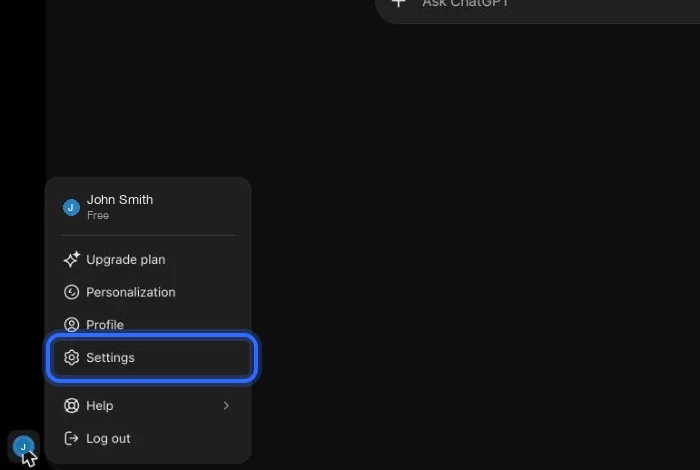
On chatgpt.com, open your profile menu (bottom left) and choose Settings.
2
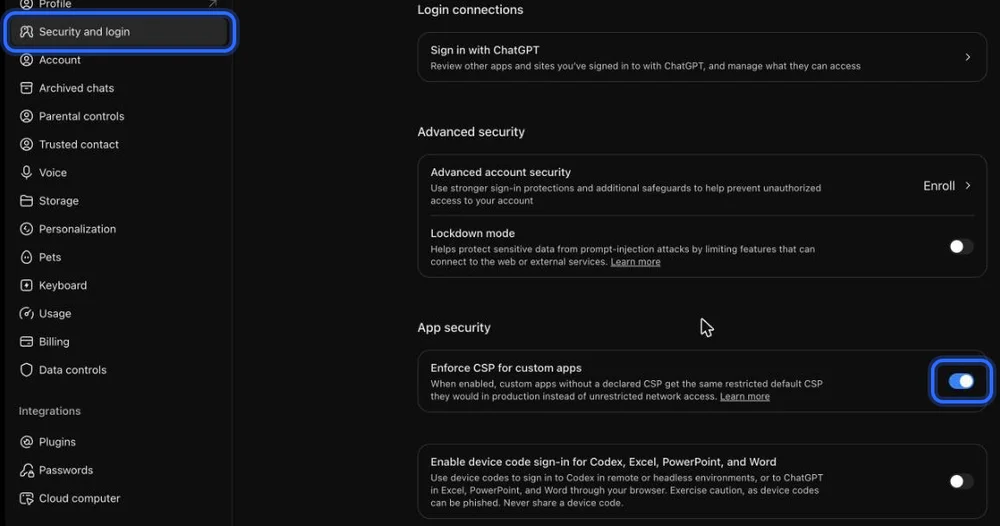
Choose Security and login, scroll to App security, and turn on “Enforce CSP for custom apps”. If you don't see it, skip this step.
3
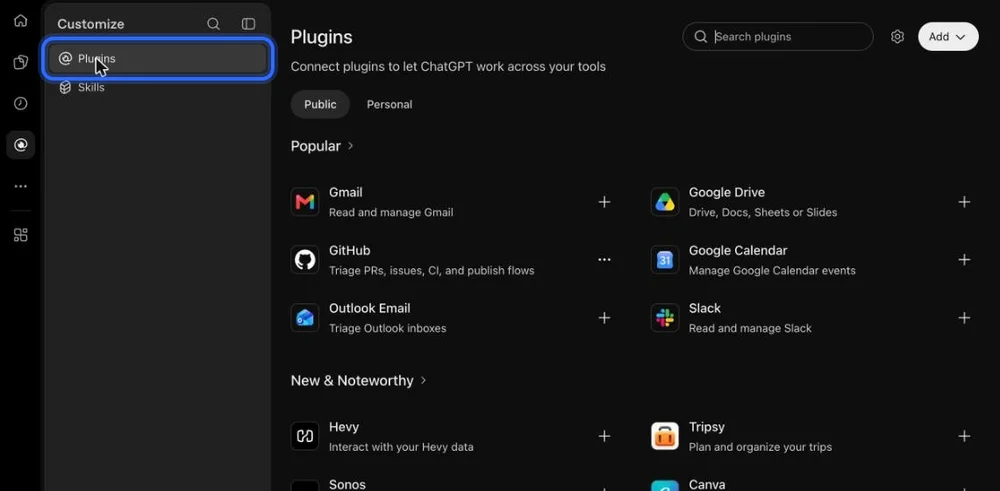
Go back and open Plugins in the left sidebar.
4
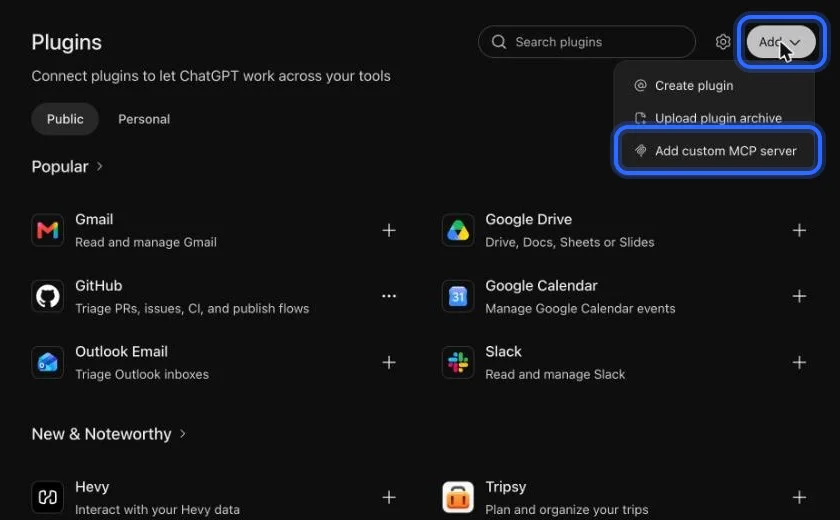
Choose Add, then “Add custom MCP server”.
5
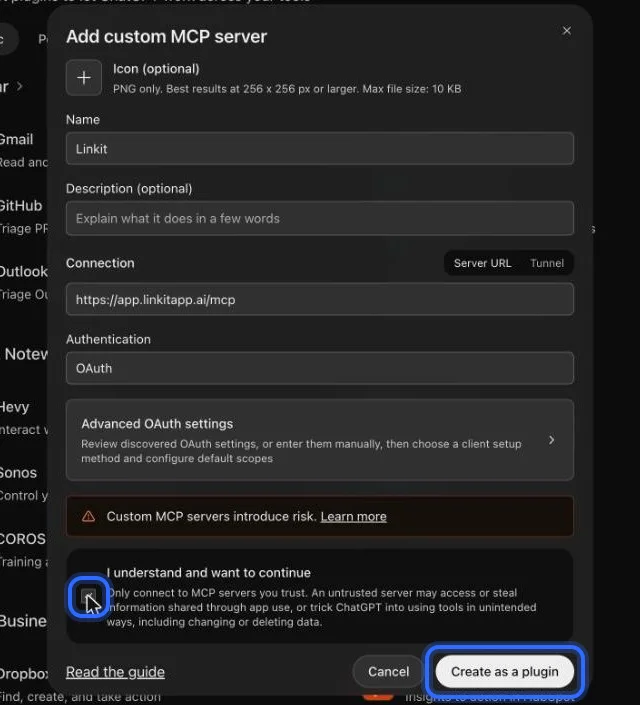
Name it Linkit, paste the address below, keep OAuth, tick “I understand”, then choose Create as a plugin.
6
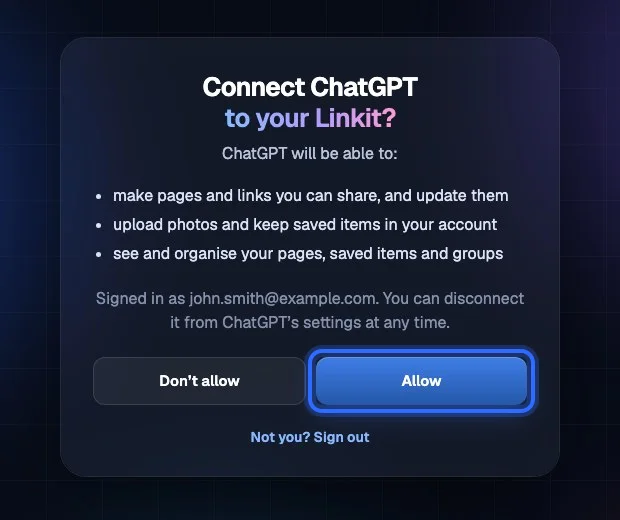
Sign in to Linkit and choose Allow.
7
In any chat, type @Linkit and pick it. Then ask for your page.
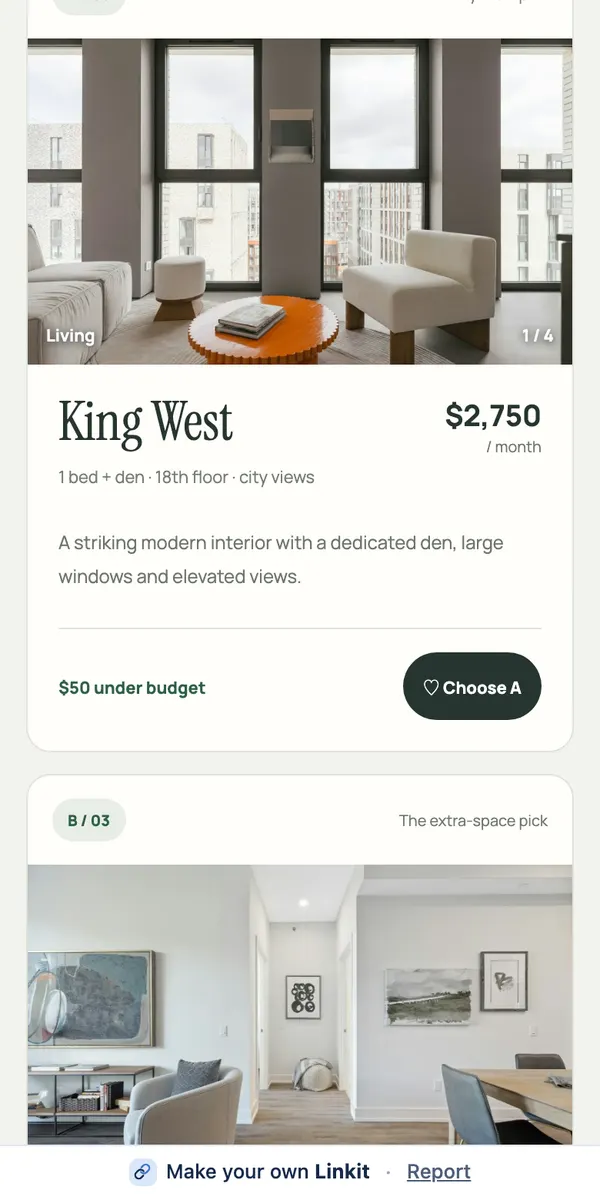
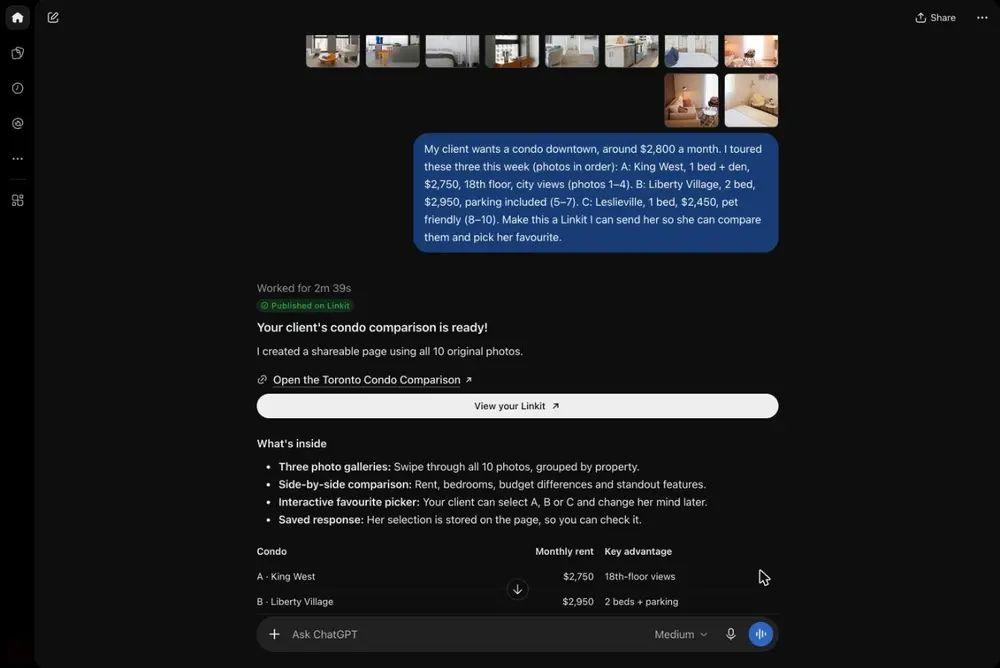
A page made from the answer, not the chat. In our test, three condos and ten photos became one link a client can tap through. Sent as screenshots, the same shortlist came to six screens of text plus the ten photos.
Asked in ChatGPT: three condos, ten photos. On the right, the page the client opens.
After you've sent it
Can I change it after I send it?
Yes. Change it any time; the link stays the same.
✎
Changing it
Ask ChatGPT in the same chat: “fix the price on the second one”, “add a map”. The page updates and everyone sees the new version.
↗
Sharing it
It's an ordinary link. Paste it into a text, a group chat, an email or a calendar invite. Anyone with the link can open it.
◷
How long it lasts
On Free, 7 days. With Pro, you choose: from 1 hour up to a year, or forever. Delete it sooner and it stops working at once.
Good to know
Is the link private?
Anyone with the link can open it, but nobody else can find it. A few more things worth knowing:
Your chat stays private
The page shows the answer, not the chat. Your questions and earlier drafts aren't on it.
Only people you send it to
Anyone with the link can open it, like a shared document. Pages aren't listed on Linkit or in search engines.
3 live links on Free
Changing a page doesn't use another one.
Check before you send
ChatGPT can make mistakes, so read the page first. If something's off, ask for a fix.
Questions
More questions
Does the person I send it to need ChatGPT?
No. A Linkit link opens in any browser on any phone or computer. They don't need an account or an app.
Does it work with the free version of ChatGPT?
Yes. You set it up once in a web browser (not the app; a phone's browser works too), and after that you can use it in any chat, free account or not.
Can I share just one answer from a long chat?
Yes. Type the prompt under that answer, or say “make this answer a Linkit”. The page holds only that answer.
How long does the link last?
On Free, a link lasts 7 days. With Linkit Pro, you choose: 1 hour, 5 hours, 1 day, 7 days, up to a year, or forever. On any plan you can delete a link sooner and it stops working at once.
Is the page public?
Anyone with the link can open it, like a shared document. Linkit pages aren't listed on Linkit or in search engines, so only people you send it to will find it.
 linkit