To make a free birthday RSVP link, connect Linkit to ChatGPT, Claude, Grok or Gemini once, then ask for an RSVP page and say “make this a Linkit.” You get one link to drop in the parents' group chat. Guests tap Yes, No or Maybe and see the live count, with no app and no sign-up. You can have the link delete itself the day after the party.
WhatsApp, iMessage, a class group, email. Guests open it in their browser and tap their answer.
Ready to copy
Change the details, then send this.
This is the exact message we used. Swap in your child's name, the date, the time and the theme.
Make an RSVP page for my daughter Mia's 7th birthday party: November 15, 2-5 pm, unicorn theme, at our place. Guests should tap Yes, No or Maybe, add their child's first name and how many are coming, and everyone should see the count. Make it fun and look great on phones so I can drop it in the parents' WhatsApp group. Have the link expire the day after the party, then make this a Linkit.
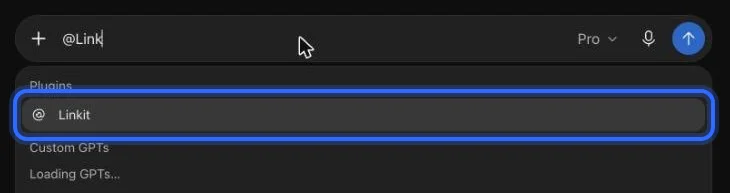
In ChatGPT: type @Linkit, pick it, then your message.
What we got
What does the RSVP page look like?
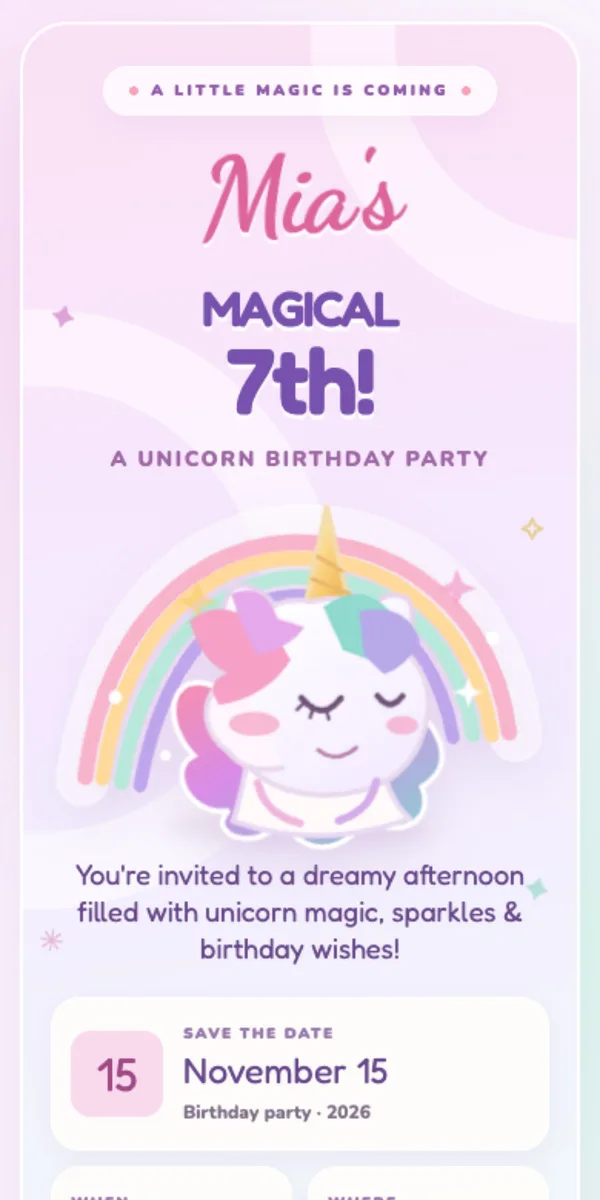
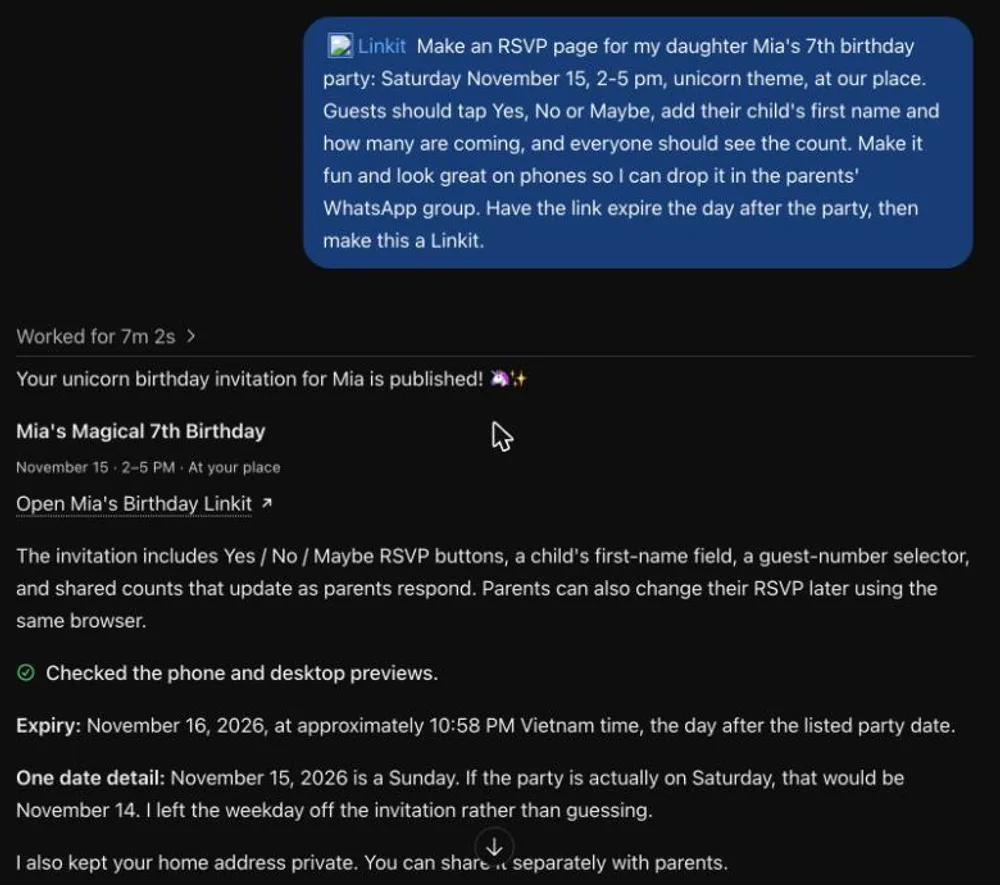
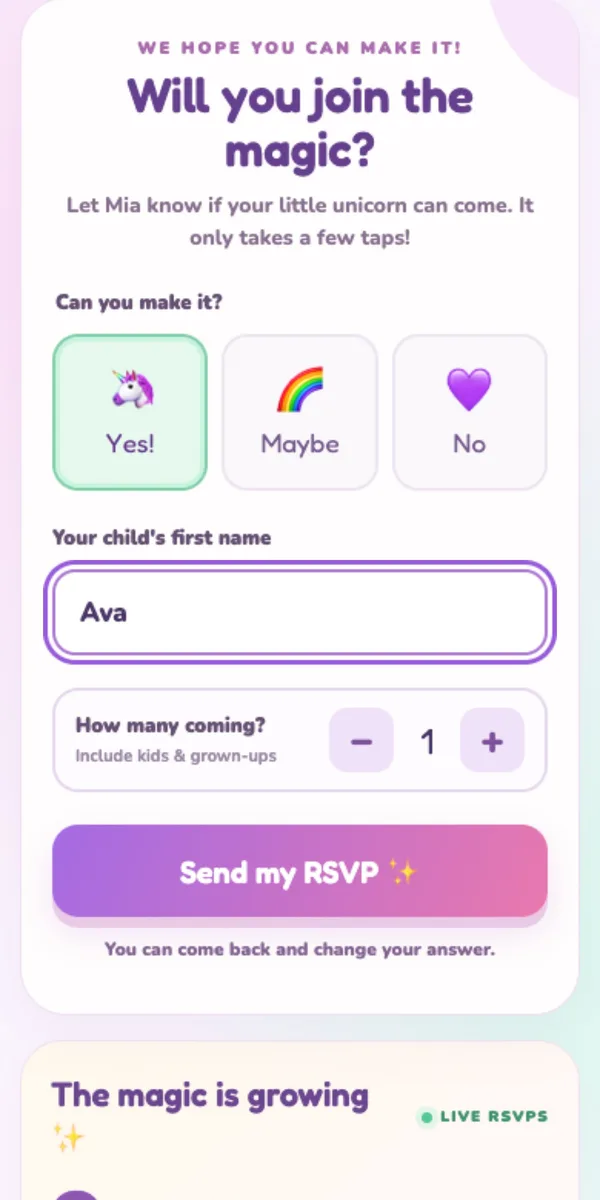
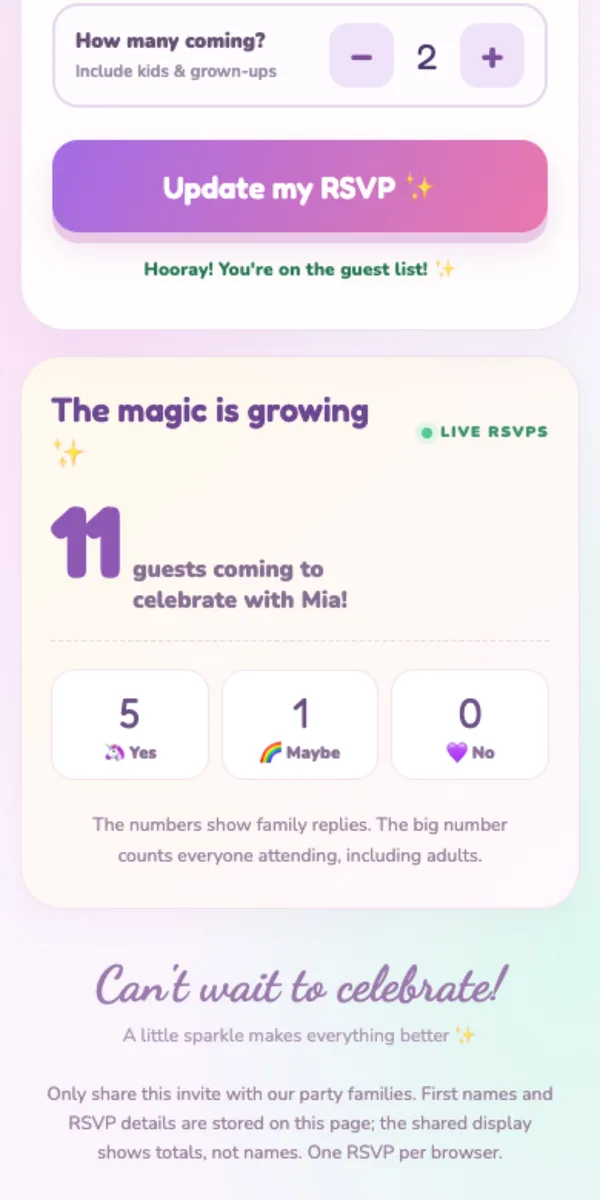
We sent that message to ChatGPT. Seven minutes later it had published a unicorn invite with Yes, Maybe and No buttons, a box for the child's first name, a guest counter and a live count. It also spotted that November 15, 2026 is a Sunday, not a Saturday, and left the weekday off, and it kept our home address off the page.
Asked in ChatGPT. On the right, what a parent sees when they tap the link.
The live count
Can everyone see who's coming?
Everyone with the link sees the same totals: how many guests are coming and how many families said Yes, Maybe or No. It updates for everyone a few seconds after someone answers. Our page shows totals rather than names; ask your AI for a list of names instead if you'd like one.
After a few families answered: 11 guests, 5 Yes, 1 Maybe.
After the party
What happens to the link after the party?
It goes away on its own, so there's nothing to host, tidy up or remember to delete.
◷
How long it lasts
On Free, a link stays up 7 days. With Linkit Pro you pick exactly when it ends, like the day after the party, from 1 hour up to a year.
✎
Changing the details
Party moved to 3 pm? Ask your AI to update the page. The link stays the same, so nobody needs a new one.
✕
Taking it down early
Delete it any time in Linkit or by asking your AI. It stops working for everyone straight away.
Step 1, in pictures
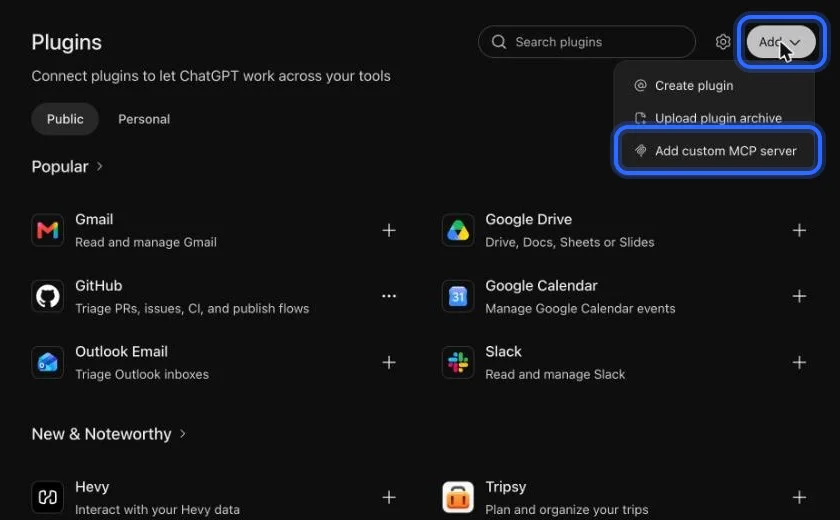
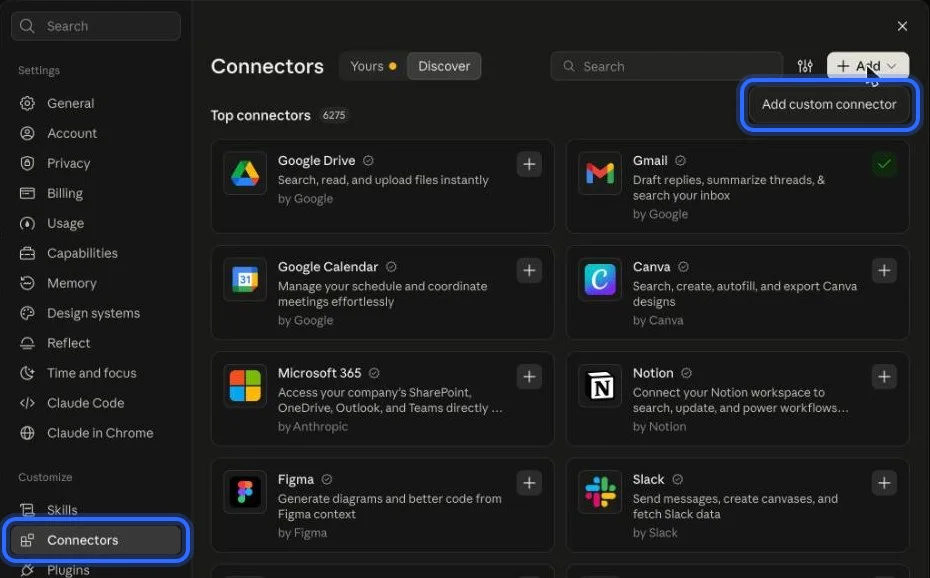
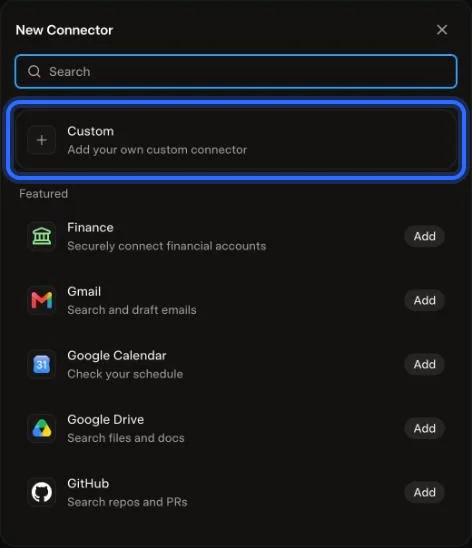
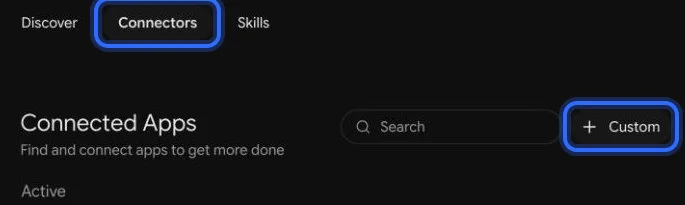
How do I connect Linkit to my AI?
Once, in a web browser (not the app; a phone's browser works too). It takes about a minute. These are the real screens, with a ring on what to press. The address to paste:
Anyone with the link can open it and answer, but nobody else can find it. A few things worth knowing:
Share it with your guests only
Pages aren't listed on Linkit or in search engines. Send the link to the people you're inviting.
First names only
Answers are stored on the page for everyone with the link, so ask for first names and numbers, never phone numbers or addresses. Send your address to guests separately.
One answer per browser
A parent can come back and change their answer from the same phone. It's made for friends and family, not for counting votes that must be exact.
3 live links on Free
Changing a page doesn't use another one, and links that expire free up space again.
Questions
More questions
Is it really free?
Yes. Linkit's free plan gives you up to 3 live links at a time, each up for 7 days, and the free plans of ChatGPT, Claude and Grok work. Linkit Pro lets you pick exactly when a link ends.
Do guests need an app or an account?
No. The link opens in any browser on any phone or computer. Guests just tap their answer.
Can I send it in WhatsApp?
Yes. Paste the link into WhatsApp, iMessage, a class group, Facebook or email. It shows a preview of the invite.
Can I see who said yes?
Ask your AI. It can read the answers saved on your page, or you can ask it to show a list of first names on the page itself.
Does it work for other parties?
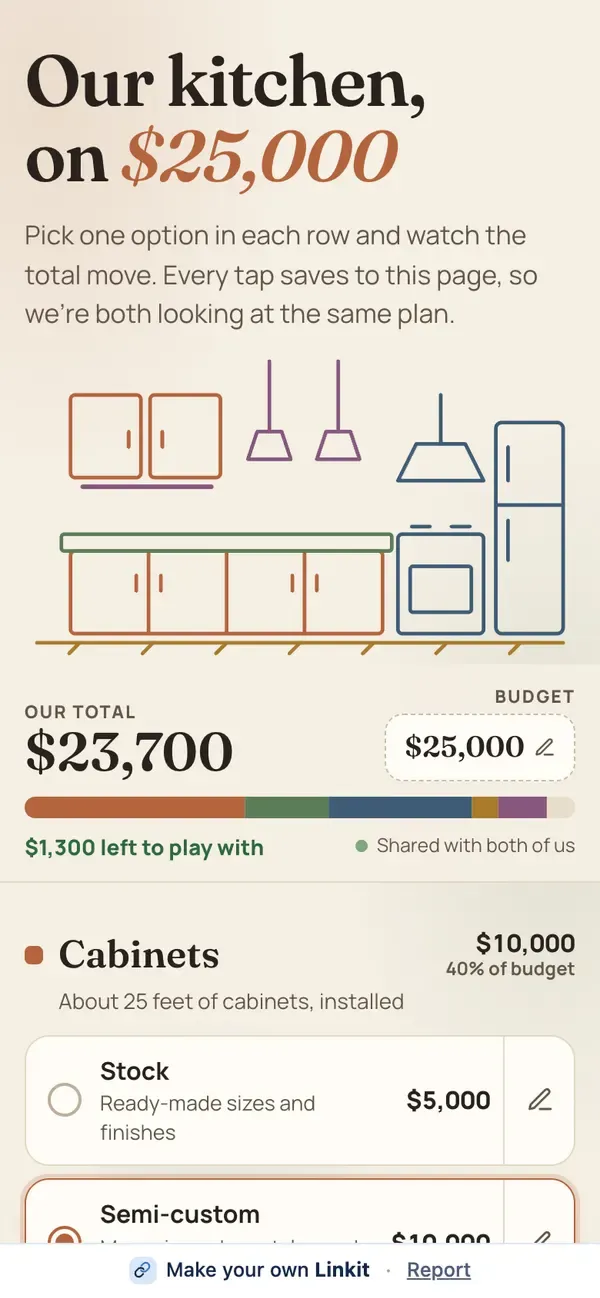
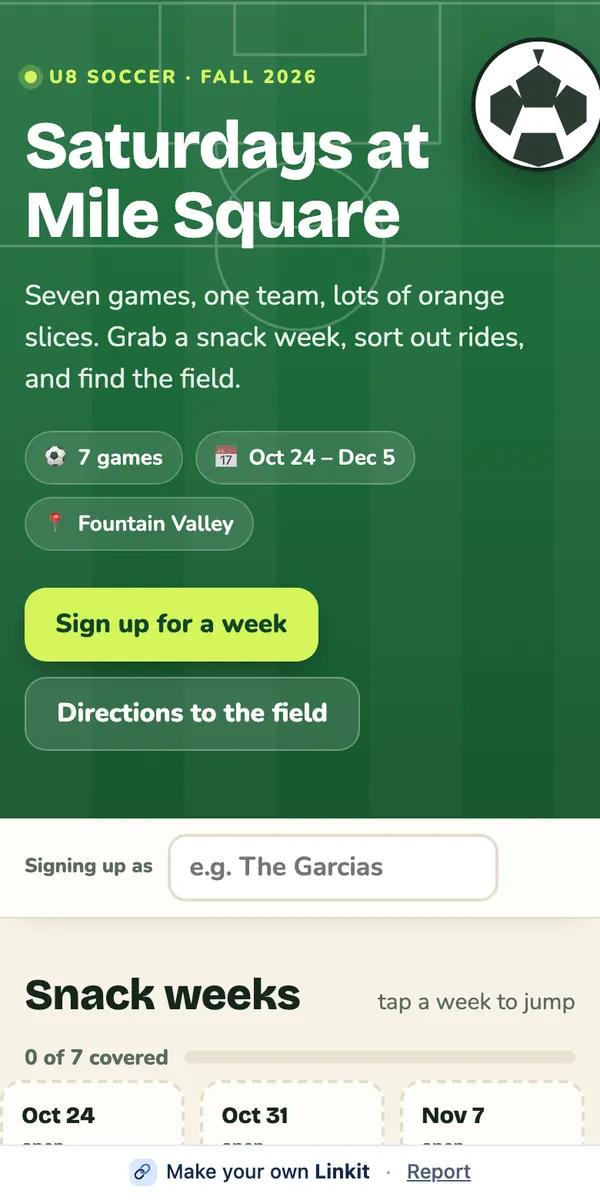
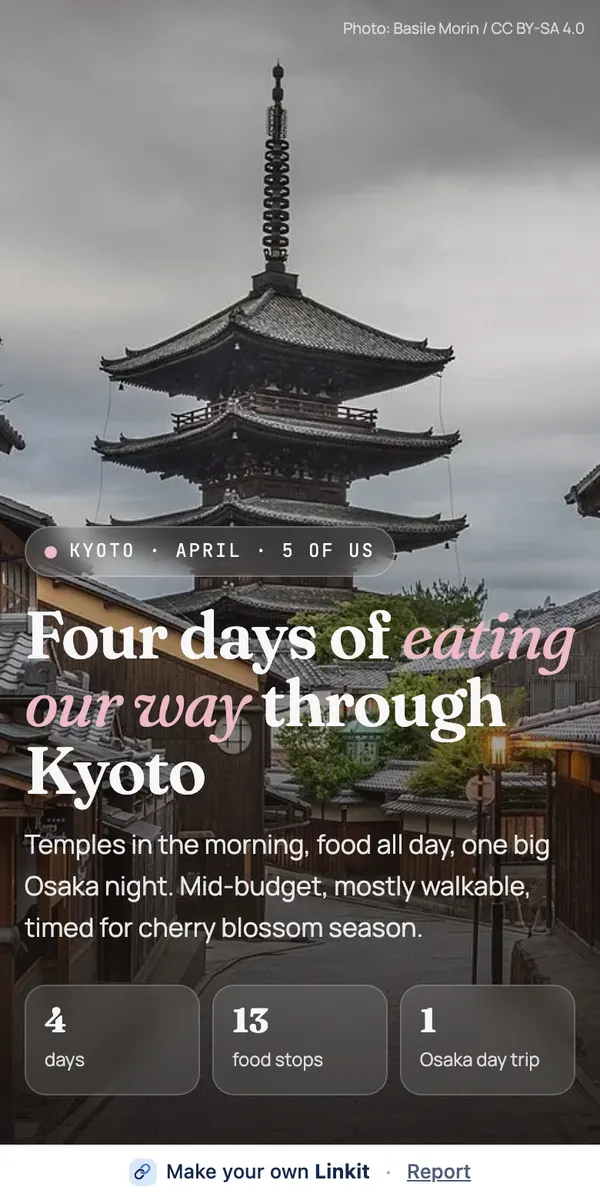
Yes: baby showers, graduation parties, game nights, a team dinner. Describe the event and what guests should answer, then say “make this a Linkit.”
Which AI should I use?
Whichever you already use. Linkit works the same way in ChatGPT, Claude, Grok and Gemini. For the nicest pages, pick your AI's strongest model and describe the look you want.
 linkit